
If you are looking for the best IPTV apps for Firestick, this article is for you. We will present the best applications that work smoothly and deliver high-quality viewing performance. Stay with us to learn more.
Table of Contents
What is IPTV service on Amazon Firestick?
An IPTV service on Fire TV allows users to stream live TV channels and on-demand content through an IPTV provider using a subscription. Using an IPTV player, you can add M3U or Xtream codes, access a TV guide and an electronic program guide, and manage playlists easily. It enhances your streaming experience on Fire TV with navigation, DVR options, parental controls, and advanced features for smooth streaming.
Best iptv apps for firestick :
Here is the list of the best iptv for firestick :
1. IPTV Smarters pro
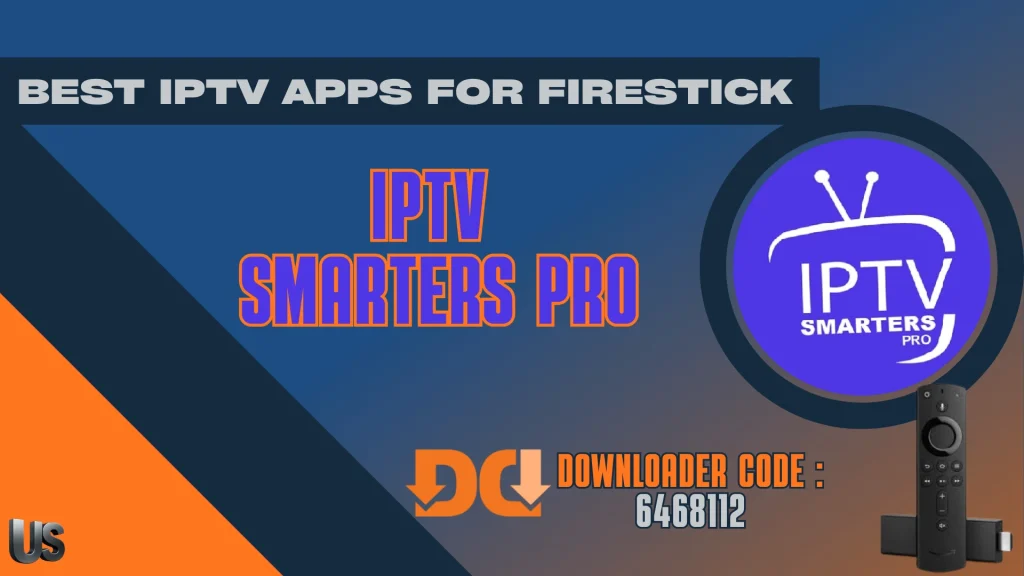
IPTV Smarters Pro features a modern interface and fast performance, allowing users to enjoy content without interruptions or streaming issues. It is a powerful and versatile IPTV player that delivers a smooth, high-quality viewing experience across multiple platforms and devices. The app supports M3U, Xtream Codes and JSON playlists, and lets users play both locally stored and remote media they own, providing reliable live TV streaming, VOD and audio playback with minimal disruption.
Pros
- Simple and user-friendly interface
- Supports M3U playlists and Xtream Codes
- Available on multiple devices (Android, iOS, Windows, Smart TVs)
- Includes EPG for TV guide and VOD content
- Multi-screen support and parental controls
Cons
- Requires an external IPTV subscription
- Buffering may occur with slow internet
- Some versions include ads
- Setup can be confusing for beginners

IPTV Smarters Pro
2. IPTV Extreme :
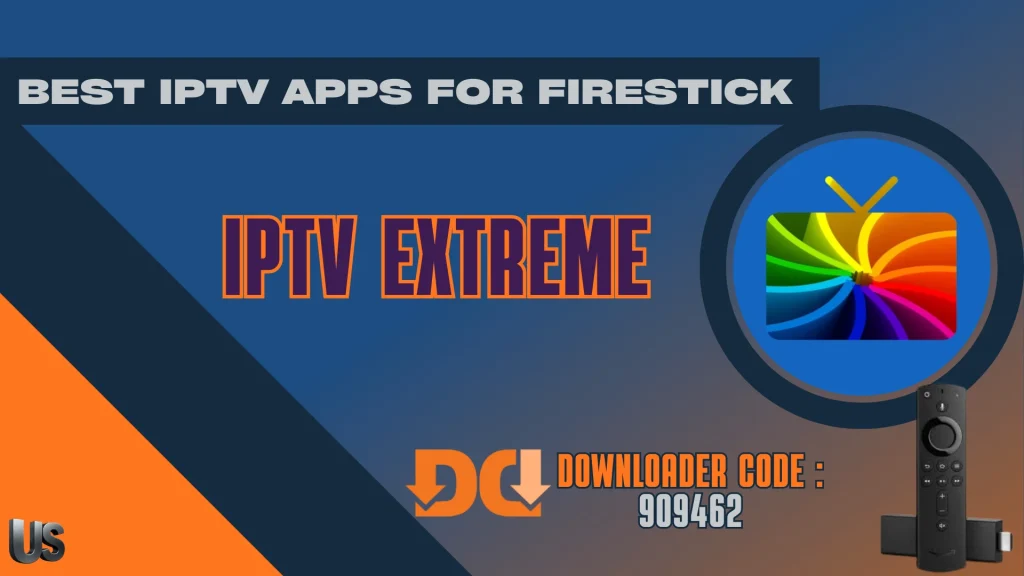
IPTV Extreme uses advanced technology to deliver a stable viewing experience across different devices. It is an IPTV player designed for streaming live TV channels, VOD content and catch-up TV with smooth navigation. The app supports M3U playlists and Xtream Codes API for third-party IPTV services, and includes practical features such as an EPG, parental controls and customisable channel lists. It is compatible with Android devices, Amazon Firestick and many Smart TVs.
Pros
- Supports M3U playlists and multiple formats
- Integrated video player with recording feature
- EPG (TV guide) support for program schedules
- Customizable interface with many themes
- Parental control and Chromecast support
Cons
- Requires an external IPTV playlist to work
- Mostly available only on Android devices
- Free version contains ads
- Interface can feel complex for beginners
IPTV Extreme
3. GSE Smart IPTV :
GSe Smart IPTV is a suitable option for anyone looking to follow TV channels and entertainment content in high quality. This application to watch live content supports a wide range of streaming formats and protocols, making it flexible for different playlists and sources. It is easy to install on Android devices, including android tv boxes, and includes many features such as playlist and EPG import. With multi-language support and premium features, it allows users to watch live TV smoothly.
Pros
- Supports M3U playlists and Xtream Codes API
- Built-in powerful video player (no external player needed)
- EPG (TV guide) support with program schedules
- Chromecast and AirPlay streaming support
- Parental controls and subtitle support
Cons
- Needs a third-party IPTV provider or a playlist
- Interface can feel complex for beginners
- Some features only available in the paid version
GSE Smart IPTV
4. perfect Player :
Perfect Player relies on an advanced streaming system that helps play live channels, movies and TV shows smoothly and clearly. It is one of the best IPTV players for use on streaming devices, working well across Firestick and Android, including Android TV, tablets and smartphones. The app is free to use as a media player, but it does not come with any channels, so you must add your own playlists in the settings. Using a VPN and testing different decoder options can help reduce buffer.
Pros
- Clean and customizable interface
- Supports M3U playlists and EPG (XMLTV, JTV)
- Works with external video players like VLC
- Lightweight and smooth performance
- Supports multiple IPTV playlists
Cons
- Requires an external IPTV subscription
- No built-in content or channels
- Interface setup may be confusing for beginners
- Limited features compared to some modern IPTV apps

perfect Player
5. Ibo Player :
IBO Player is a practical solution for watching TV channels and live streaming online in an easy way, and it is often preferred by many users. It is legal to install and use as a streaming platform because it does not provide content itself; instead, it works as an add-on style player where you add your own playlist. After setup, the home screen is designed to be beginner-friendly, with options such as multiview and timeshift depending on your device. It can be downloaded via the Amazon App Store on Firestick, but it is not free streaming, although it offers a 7-day trial and supports many IPTV playlists.
Pros
- Lightweight app with fast and smooth streaming
- Supports M3U playlists and IPTV providers
- Works on many devices (Smart TV, Android, iOS, Firestick)
- Supports HD and 4K streaming quality
Cons
- No built-in channels or content
- Needs an external IPTV subscription or a playlist
- Free trial limited, activation fee required
- Fewer advanced features than some IPTV players

Ibo Player
6. OTT Navigator:
OTT Navigator provides a set of tools that help users organise channels and content in a comfortable way. It is a smart player for live TV, TV programmes and films from sources that IPTV services provide, using your provider playlist or another user-added source. It supports common playlist standards such as M3U and M3U8 and works on Android devices, smart TVs and Firestick. As a top IPTV option, it is legal to install and use because it does not contain content itself. It offers a free version, user profiles, and a premium version with extra features, but it is not a free IPTV service.
Pros
- Highly customizable interface and channel organization
- Supports M3U, Xtream Codes, and multiple playlists
- Advanced EPG (TV guide) and filtering tools
- Fast channel switching and smooth streaming
Cons
- Interface can feel complex for beginners
- Free version contains ads
- Needs an external IPTV playlist or subscription
OTT Navigator
7. Implayer :
iMPlayer comes with a range of features that make it suitable for both beginners and advanced users in the IPTV world. Designed mainly for Android TV and Firestick, it aims to deliver a cable-like experience for live streaming and VOD through supported playlists. It is one of the IPTV players legal to install and use because it does not provide any live TV or VOD content itself; it simply plays legitimate M3U files. The app can work with external video players, and it is available in completely free and premium options, including a lifetime subscription.
Pros
- Modern and customizable interface
- Supports M3U playlists, Xtream Codes, and EPG
- Multi-screen and catch-up TV support
- Works on several devices (Android, iOS, Firestick)
Cons
- Requires external IPTV subscription
- Many advanced features only in premium version
- Setup can be complicated for beginners

Implayer
8. Televizo :
Televizo gives you a complete viewing experience by supporting several formats and different playlist types. It is a flexible IPTV player made for users who already have their own M3U playlists or Xtream Codes credentials. With support for live TV, series and VOD, Televizo runs smoothly on Firestick, Android TV and other Android devices. The app does not provide any content by default, so you simply add your own playlist details and start streaming through your chosen provider.
Pros
- Supports M3U playlists, Xtream Codes, and EPG
- Allows multiple playlists and channel organization
- Chromecast support for streaming to TV
- Clean interface with search, favorites, and sorting
Cons
- Requires external IPTV playlist or subscription
- Some advanced features only in premium version
- Interface can feel confusing for beginners

Televizo
9. BOB player :
Bob Player lets you move quickly between channels and favourite content thanks to its simple, clear design.It works as an IPTV playlist player, meaning it does not supply any channels or VOD on its own. Instead, you simply load an M3U or M3U8 playlist from your IPTV provider or another online source, then start watching. The app is built to run smoothly on popular streaming devices, including Firestick, Android TV, phones and tablets.
Pros
- Supports M3U playlists and Xtream Codes API
- Simple and user-friendly interface
- Works on multiple devices (Android, iOS, Smart TVs, Firestick)
- Supports EPG (TV guide) and high-quality streaming (HD/4K)
Cons
- No built-in channels or content
- Requires external IPTV playlist or subscription
- Activation required after the 7-day free trial

BOB player
10. Sparkle TV :
Spark TV offers excellent viewing quality with the ability to customise settings according to each user’s preferences. It is a powerful IPTV player designed for Android TV and Fire TV, allowing smooth access to live television, films and series from supported playlists. The app supports popular formats such as M3U, Xtream Codes and XMLTV, and includes useful features like an EPG, timeshift, DVR recording, multiview and parental controls, providing a flexible and personalised streaming experience.
Pros
- Supports M3U, Xtream Codes, and XMLTV EPG
- Clean interface with easy channel navigation
- Advanced features like timeshift and DVR recording
- Works on Android TV, Firestick, and TV boxes
Cons
- Requires external IPTV playlist or subscription
- Recording feature may have bugs sometimes
- Free version has limited features

Sparkle TV
11. Smart TV :
Smart IPTV gives you access to all types of content, including live channels, films and programmes, while supporting high streaming quality for a more enjoyable viewing experience. It is an IPTV player designed to stream live TV and VOD through IPTV services, and it works across Smart TVs such as Samsung and LG, as well as Android, iOS and devices like Amazon Firestick. The app supports M3U playlists and Xtream Codes, and includes useful tools such as an EPG, parental controls, multi-language support, and favourites to organise channels more easily.
Pros
- Supports M3U playlists and Xtream Codes login
- Clean interface optimized for TV screens
- Supports EPG (TV guide) for program schedules
- Compatible with Smart TVs, Android TV, and TV boxes
Cons
- No built-in channels or media content
- Needs an external IPTV subscription or a playlist
- Some advanced features may require paid version
Smart TV
12. XCIPTV player :
XCIPTV is designed to give users a smooth, easy-to-use viewing experience at any time. It is a versatile streaming app with a simple interface, while still offering advanced tools for a more personalised setup. The player includes two built-in media options, ExoPlayer and VLC Player, and supports adaptive HLS streaming for stable, high-quality playback even when the connection speed changes. It also offers backup and restore, multi-device sync, programme reminders, and DVR scheduling to record content to internal or external storage.
Pros
- Simple and modern user interface
- Supports M3U playlists and Xtream Codes API
- EPG (TV guide), VOD, and Catch-up TV support
- Works on Android, Firestick, and Android TV devices
Cons
- No built-in channels or content
- Requires external IPTV subscription
- Not available on iOS or some Smart TVs

XCIPTV player
13. Tivimate :
TiviMate provides modern features that help improve viewing quality and organise channels more effectively. It works as a media player that lets you watch content using links from your TV operator or IPTV service, rather than supplying channels itself. You can add your playlist through an M3U file or by entering server details such as a username and password. Once set up, it can display channel lists by country and show upcoming programmes via EPG information, with on-demand content available if supported.
Pros
- Modern interface designed for TV screens
- Supports M3U playlists, Xtream Codes, and EPG
- Fast channel switching and smooth navigation
- Advanced features like recording, catch-up TV, and multi-screen
Cons
- Premium version required for many advanced features
- Works mainly on Android / Fire TV devices
- Initial setup can be difficult for beginners
Tivimate
14. Kodi :
Kodi offers a wide range of features that make it a unique media centre and a popular choice among IPTV users. Formerly known as XBMC, it is an open-source media player for Android that lets you play videos, music and photos through a simple, touch-friendly interface. It organises content into clear sections and even includes a local weather tool. With many add-ons, Kodi can stream music, download videos and expand your media library with ease.
Pros
- Free and open-source media player
- Supports many add-ons and plugins for streaming
- Compatible with multiple platforms (Windows, Android, Linux, macOS)
- Highly customizable interface and features
- Supports local media, IPTV playlists, and subtitles
Cons
- Setup and configuration can be complex
- Performance depends on installed add-ons
- Some add-ons may be unstable or unofficial
- Interface can feel complicated for beginners

Kodi
Conclusion :
In this article, our team has tried to present the best iptv apps for Firestick that work smoothly and provide a high-quality viewing experience. We hope you find this guide useful, and don’t forget to share your opinions and experiences with us in the comments.
FAQs :
Is Amazon Firestick good for IPTV?
Yes, Amazon Firestick is very suitable for IPTV. It offers smooth performance for live streaming and channel playlists, with a simple interface and fast navigation using the remote. It supports various streaming apps and works well on Fire TV with stable internet.
What are the best iptv app for firestick?
There are many applications suitable for Firestick, but IPTV Smarters Pro is considered one of the best options for this device.
Which IPTV player suits your live TV streaming needs?
To choose the IPTV player that suits your live streaming needs, it should offer stable playback with reduced buffering, a reliable EPG TV guide, and strong playlist support. It is also useful to have extra features such as parental controls, user profiles, DVR recording, pause and timeshift, and multiview for watching more than one stream at the same time.

I studied modern technology at college and have extensive experience in applications and viewing solutions. Due to my work, which requires frequent travel, I rely on modern technologies to keep up with my favourite programmes.