
If you’re looking for IPTV apps that are compatible with TVs, this article is for you. In this article, we will present the best IPTV apps for Samsung and LG Smart TVs. Stay with us to learn more.
Easy navigation
What is IPTV for smart TVs?
IPTV for smart TVs lets you stream live content, VOD, video, and series directly on smart TVs via an iptv application. On LG Smart TVs (webOS) and Samsung (Tizen), the best iptv player, like Smartone IPTV, Smart IPTV or IPTV Smarters Pro, can improve the user experience. Access is often done using M3U playlists or Xtream code from iptv providers and iptv services. Ensure a legal subscription and reliable internet speed (25 mbps) for premium, seamless channel streaming.
Best iptv apps for Samsung and LG TVs in 2026
OTT PLAYER
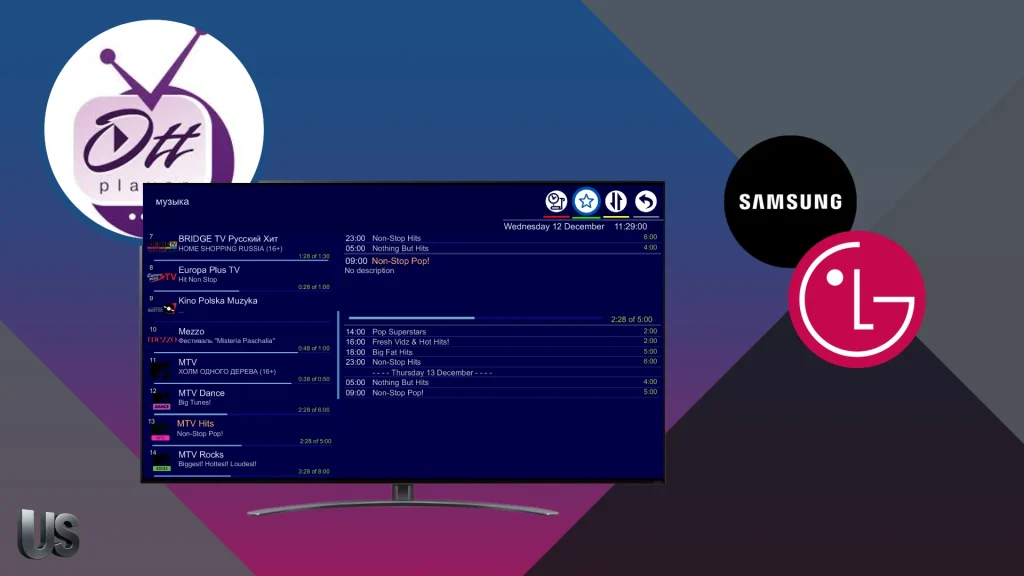
OTTPlayer focuses on direct playback with a simple interface that helps you navigate sections quickly. It doesn’t include built-in video, but allows users to add their own playlist and use it on a compatible device. The app supports live TV, archived shows, automatic channel grouping, multiple EPG sources, and a robust search to filter by category, year, or age limits. It also offers timeshift (if supported) and resume playback, making it easy for users to watch. It’s a top choice for many users.
Pros :
- Strong search filters for category, year, and age limits
- Automatic channel grouping improves organisation
- Resume playback adds convenience for regular viewing
- Timeshift support can improve control over watched content
Cons :
- Does not include built-in media
- Some functions depend on playlist and provider compatibility

OTT PLAYER
See also our review of IBO Pro Player
SMARTONE IPTV
SmartOne IPTV is a great option for users who prefer a clear interface, combining ease of use with well-organised channels. It works as a video player on many Smart TV systems, including Samsung, LG, and VIDAA models. You can watch live TV, VOD, and series seamlessly by logging in via the Xtream Code API or adding M3U playlists. The app is multilingual and customizable, offering complete on-demand management of your content. It always relies on your own playlist or provider, not built-in channels.
Pros :
- Works on Samsung, LG, and VIDAA smart television systems
- Multilingual access makes it easier for different users to navigate
- Customisable settings improve personal content management
- Supports both Xtream Code API and M3U playlist integration
Cons :
- No built-in channel package or internal catalogue
- Viewing quality depends on the external provider or playlist used
SMARTONE IPTV
IPTV SMARTERS PRO
With its smooth interface and multiple options, IPTV Smarters Pro gives you an organised viewing experience that makes it easy to access channels and content quickly. Popular on Android, it lets users watch live TV and VOD on a phone or tablet, browse channels by country, and save favourites. You can log in via Xtream Codes (username, password, server URL) or add an M3U playlist. It also offers advanced playback controls and a multi-screen option, but it doesn’t include built-in channels.
Pros :
- Smooth navigation with a clean and user-friendly interface
- Supports multiple login methods and playlist formats
- Multi-screen viewing to enjoy seamless streaming
- An easy way to organise favourites and explore various content
Cons :
- Premium features are not available on LG Smart TV (webOS)
- Requires an external IPTV service (no built-in content)
IPTV SMARTERS PRO
Ibo Player
IBO Player is a strong option for viewers searching for an IPTV app that works on both Samsung TV models and LG smart TVs. As one of the popular choices in this category, it delivers reliable IPTV streaming with a straightforward setup process, making it easier for users to connect their preferred IPTV service and start watching on a large screen.
This player is particularly useful for households that want a solution compatible with different smart television systems, including webOS. One of its most convenient features is that the provider can activate the subscription remotely, saving time and helping the user get everything set up correctly without complicated steps. That added convenience can enhance the overall entertainment experience and help people find the right setup more quickly.
Pros :
- Works on both Samsung and LG smart TVs
- Remote activation by the provider makes setup simple
- Helpful for users who want quick access without technical hassle
- Suitable for people looking for a smooth, big-screen viewing solution
Cons :
- Not a free application (7-day trial)
- Activation often depends on the provider’s conditions or package

Ibo Player
SS IPTV
SS IPTV offers a practical way to manage channels and content without complications, thanks to flexible settings and smooth navigation. It lets you load your IPTV list in seconds, either by adding an M3U file or pasting a playlist link. You can watch live TV, movies, and series, with support for formats like HLS and MP4. It also saves favourite lists, shows recently watched items, and can stream to Chromecast at no cost. The app includes no built-in content.
Pros :
- Quick playlist loading through M3U file or web link
- Supports playback types such as HLS and MP4
- Includes favourites and recently watched sections
- Chromecast support is available at no cost
Cons :
- No built-in content is provided
- Depends entirely on the quality of the playlist added
SS IPTV
IB PLAYER :
Ib Player offers a neat interface that makes managing channels and content smoother for users who value speed and organisation. Designed for Android smart TVs, sticks, phones, and tablets, it loads M3U playlists quickly and plays channels with minimal glitches. It supports all screen resolutions, including 4K, and provides advanced playlist controls for easy navigation. The app works with MX Player and VLC, offers fast streaming, lets you add favourites, and includes parental controls to restrict certain content for families.
Pros :
- Designed for Android smart TVs, sticks, mobiles, and tablets
- Works with MX Player and VLC for added playback flexibility
- Parental controls make it more suitable for family use
- Favourites section helps users manage preferred content quickly
Cons :
- Not intended for Samsung Tizen or LG WebOS platforms
- Requires an external playlist and proper player configuration to get the best result

IB PLAYER
FLIX IPTV :
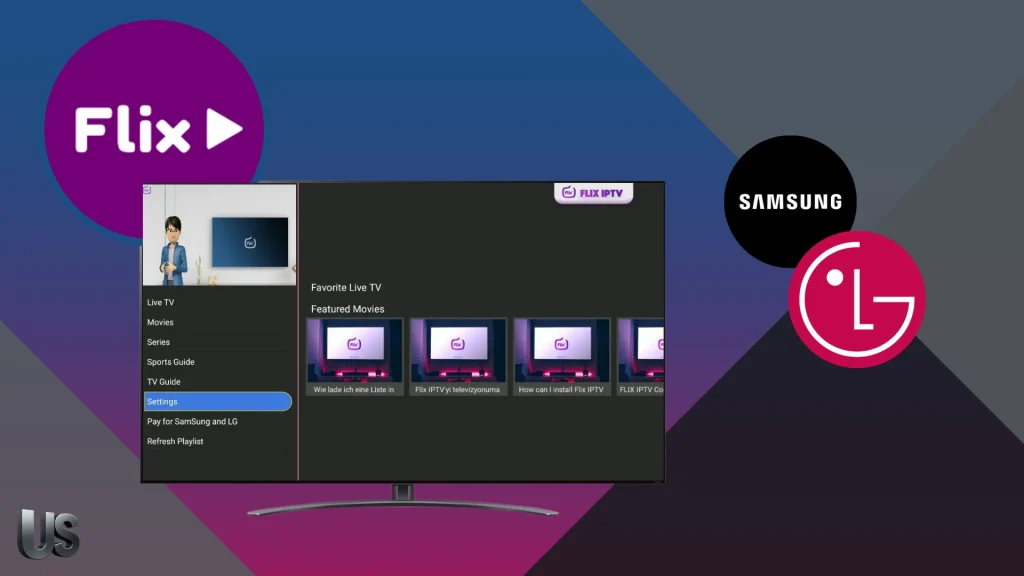
Flix IPTV delivers smooth playback with a modern look, focusing on user comfort and quick access to favorite content. Built as a reliable IPTV streamer, it loads M3U playlists fast and plays channels with minimal buffering. The app supports 4K and offers advanced player controls for a better viewing experience. It works across smart TVs and streaming devices, including Samsung Tizen OS and LG WebOS, as well as TV boxes, sticks, and Android phones/tablets. Just install it, add your provider’s playlist, and start streaming.
Pros :
- Fast M3U playlist loading for quicker access
- 4K playback support improves picture quality
- Advanced player controls provide better viewing precision
- Works across Samsung, LG, TV boxes, sticks, and Android devices
Cons :
- Requires the user to add a provider playlist before use
- Performance may vary depending on the source and internet connection
FLIX IPTV
Conclusion
With that, our team has presented the best IPTV apps for Samsung and LG Smart TVs. We hope you found this helpful. Don’t forget to share your opinions and favorite apps in the comments.
FAQS
What is the best IPTV player for an LG Smart TV?
For most LG webOS Smart TV users, Smart IPTV (SIPTV) or SmartOne IPTV are top picks: they’re available for LG TVs, support M3U playlists (and often EPG), and are easy to set up. Note: Smart IPTV typically needs one-time activation and includes no channels.
How do I get IPTV on my Smart TV?
Install an IPTV app from your TV’s app store (LG Content Store, Samsung Apps, Google Play). Open it and add your provider details: an M3U playlist URL/file or Xtream Codes (username, password, server URL). Let channels load, then watch live TV and VOD. Ensure stable internet (preferably Ethernet).

I studied modern technology at college and have extensive experience in applications and viewing solutions. Due to my work, which requires frequent travel, I rely on modern technologies to keep up with my favourite programmes.