
In today’s article, we share our opinion on the IBO Pro Player app, often used with the best IPTV services. We also give a complete overview and explain how to use it step by step, covering its features, performance, and overall experience in a clear and simple way.
Table of Contents
What is an IBO Pro Player?
ibo Player is considered one of the best media players, offering a range of useful features. It allows easy streaming of M3U links and playlists and supports all screen resolutions on iPhone devices. It also supports the VLC player, fast streaming, and provides language selection options for movies and TV series, ensuring a smooth and enjoyable viewing experience.
My experience :
We will first download ibo Player from the Apple Store to test it. or from the play store.
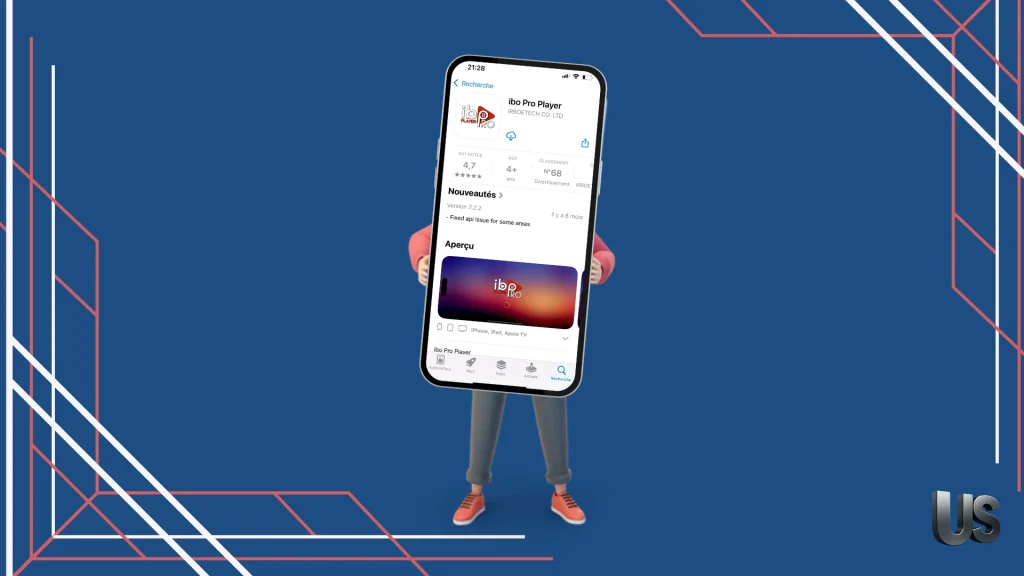
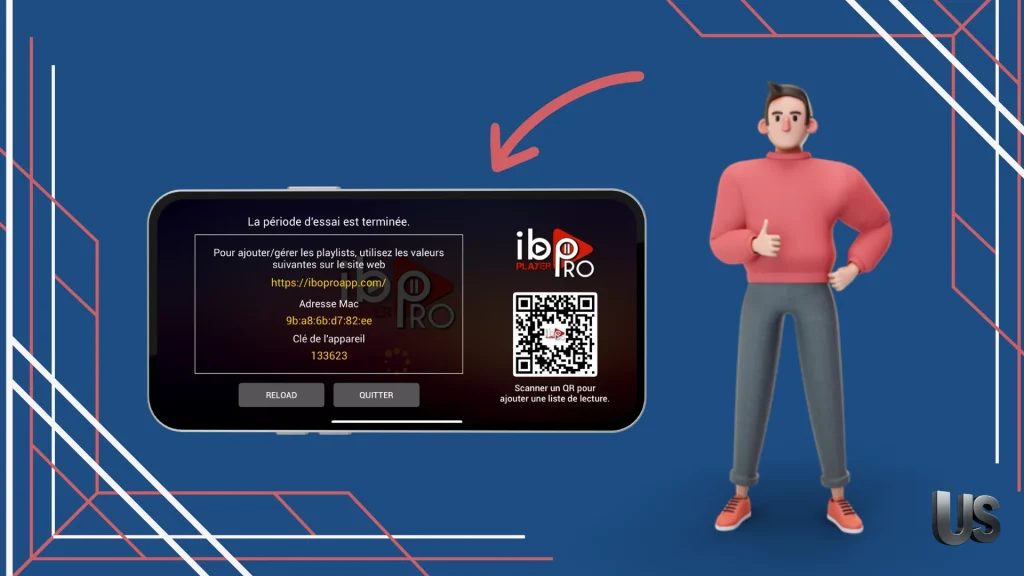
After downloading the app, we will open it. On the main interface, you will see the information provided by the application, which allows us to register through the app’s website link.
See also : Best IPTV apps Android
Then, we go to the app’s link and complete registration by entering the information provided in the app’s interface.
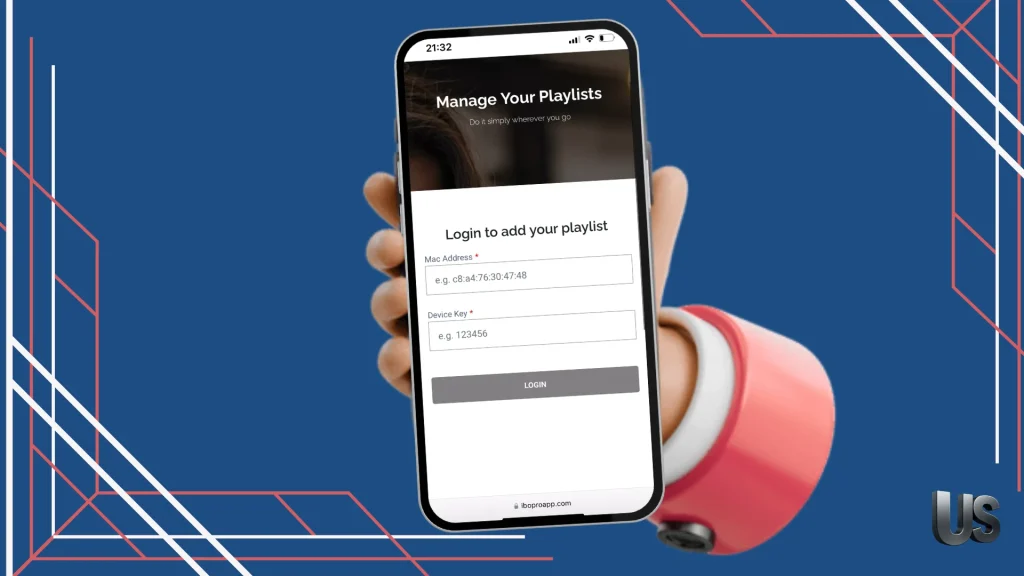
After completing the registration, the Add Playlist option will appear. We will then add our playlist by choosing between the Extreme Codes format or M3U. In this case, we will add the playlist using the M3U format.
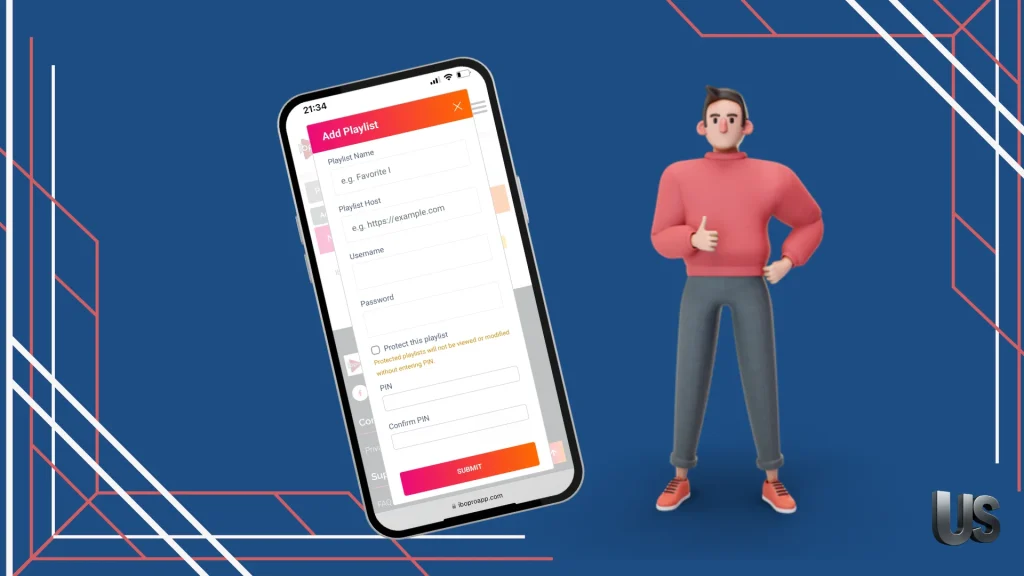
After registering on the app’s website and adding a playlist, when we returned to the application, we could not find it and were unable to see any content to watch.
Alternatives apps
Smarters player lite :
Smarters Player Lite is a powerful and versatile stream player designed for iptv users across multiple platforms, such as Roku and Apple devices. It features a user-friendly interface and supports smooth, high-quality playback. With advanced M3U player controls, the app allows easy management of playlists and settings, delivering a reliable and customizable viewing experience for different streaming needs.
Smarters PRO
Smarters Pro is a practical solution for live-streaming fans, offering a smooth, user-friendly experience. It allows users to organize favorite channels, load any M3U playlist, and manage viewing with parental control options. The app supports all screen resolutions, including modern devices, and delivers high-quality content playback with reliable performance and customizable settings.
Zen IPTV Player
Zen Player is considered one of the best media players, as it loads and displays content through a clear and elegant interface. It offers multiple language subtitles and audio tracks, supports live TV channels and replay, and supports 4K and Dolby Vision formats. It also includes an EPG guide, picture-in-picture mode, automatic grouping of different versions of movies or series, displays popular content, and allows creating multiple viewing profiles for the whole family.
Conclusion :
In this article, we have presented a complete experience of the ibo Pro Player app along with our honest opinion about it. We also introduced similar applications that work well and without any complications. We hope you found this helpful, and don’t forget to share your experience with us in the comments.

I studied modern technology at college and have extensive experience in applications and viewing solutions. Due to my work, which requires frequent travel, I rely on modern technologies to keep up with my favourite programmes.