
In today’s article, we present a selection of IPTV applications for iPhone devices. We will explain how these apps work and highlight their key features and benefits. Stay with us to discover the best IPTV applications for iPhone that you can use for watching live TV and enjoying a smooth viewing experience.
Table of Contents
How can I choose the right IPTV app for iPhone?
To choose the right IPTV app for iPhone in 2026, look for a top iptv solution that offers reliable ways to watch live and on-demand content. The app should enable smooth playback, allow you to upload playlists easily, and dedicate features for organising channels or episodes. Reading user comment feedback can help you decide which app you prefer based on performance and ease of use.
List of the best IPTV players for iPhone in 2026 :
1. IPTV Smarters PRO :
Watching television channels online has become a modern alternative to traditional broadcasting, and this application delivers a smooth and advanced viewing experience on iPhone devices. It allows users to watch live channels and multimedia content in high quality, with easy playlist management and broad format support. The app also features a clean interface, advanced search tools, stable performance, and customisation options that give users full control and comfortable navigation.
How does it work?
Let us begin the app experience by first downloading the application from the Apple Store.
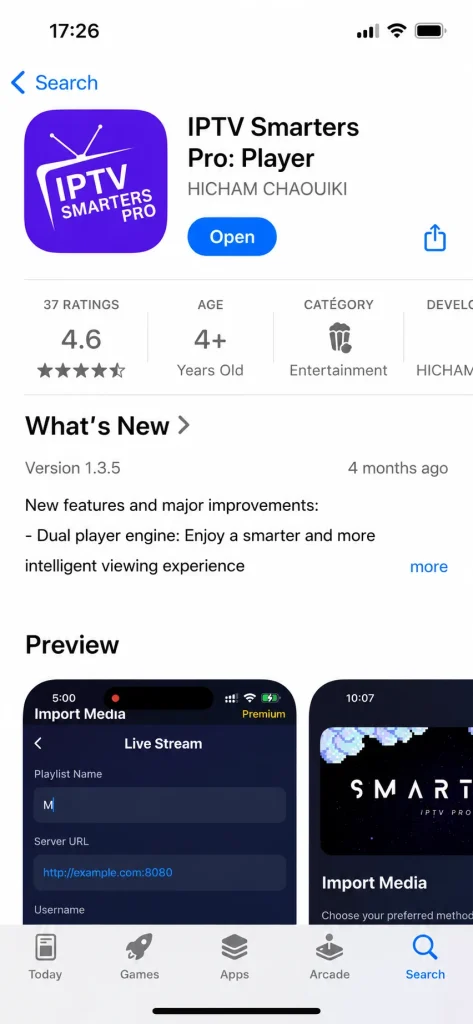
After downloading the application, we will open it. Some information about how to add a playlist will appear on the first screen; we will skip this step. Then, we will choose the format through which we want to add the playlist.
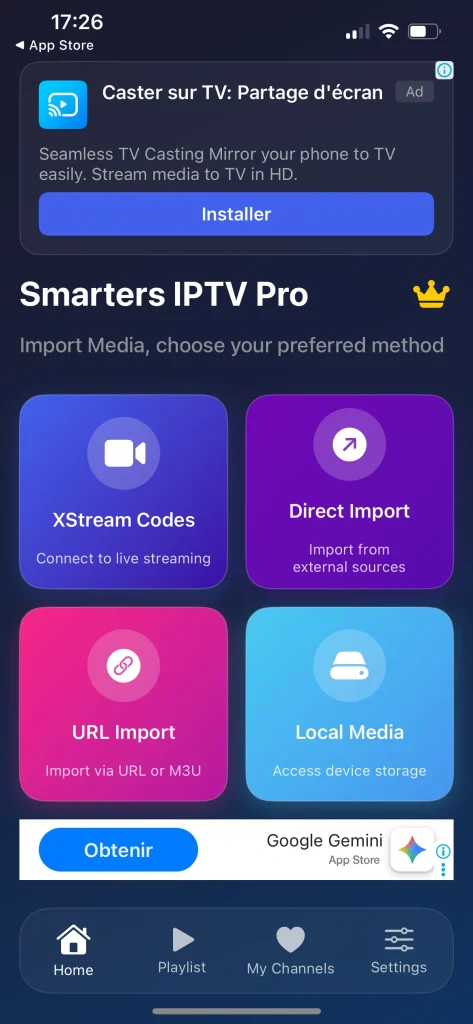
We selected the M3U option, then filled in the required information and added it.
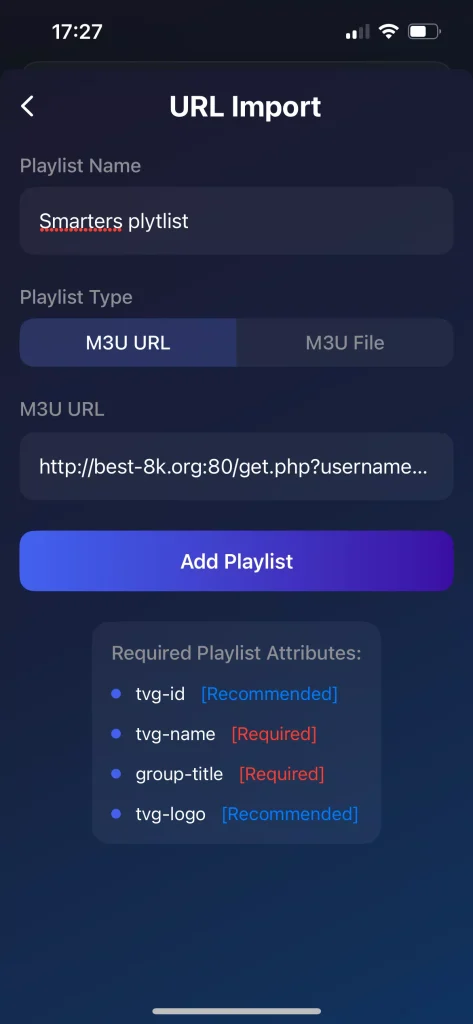
You will wait a few minutes for the content to load, after which your programmes will be ready to watch.
Pros :
- Clean and user-friendly interface for iPhone users.
- Supports Xtream Codes, M3U playlists, and EPG (TV Guide).
- Allows access to Live TV, Movies, Series, and Catch-up content.
- Supports AirPlay for streaming content to Apple TV.
- Multiple playlist/account support within the same app.
- Easy setup and navigation, suitable for beginners.
Cons :
- Some users report occasional buffering, crashes, or playback issues depending on the IPTV provider.
- Certain versions may contain advertisements.
- Does not provide any channels or content; a separate IPTV subscription is required.

IPTV Smarters pro
2. Zen IPTV player :
Modern streaming applications allow users to access a wide range of content at any time and from anywhere, and this app stands out as a smart and refined viewing solution across iPhone, iPad, and Apple TV. It offers a clean, premium-style interface inspired by leading streaming platforms, with support for live channels, films, and series in high quality, including 4K and HDR. Advanced features such as programme guides, picture-in-picture, profiles, and favourites ensure a smooth and personalised viewing experience.
How does it work?
We will do the same thing by downloading the application from the Apple Store.
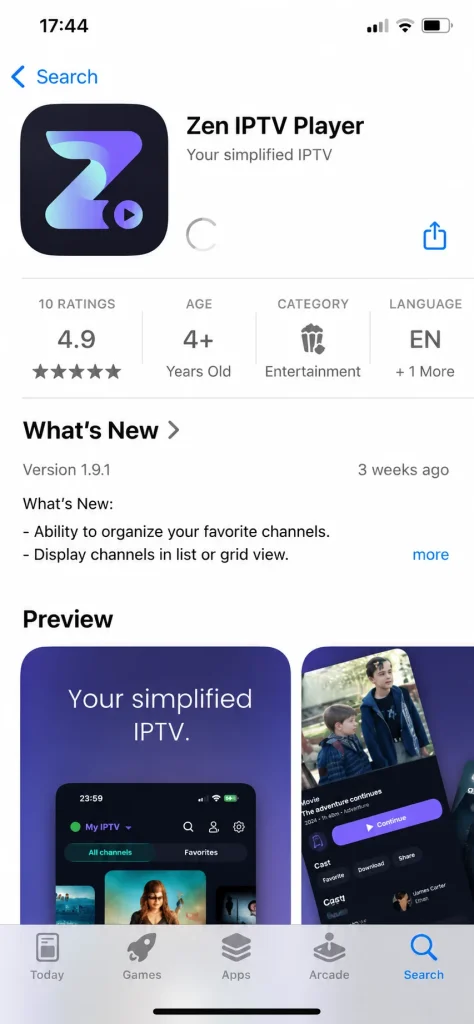
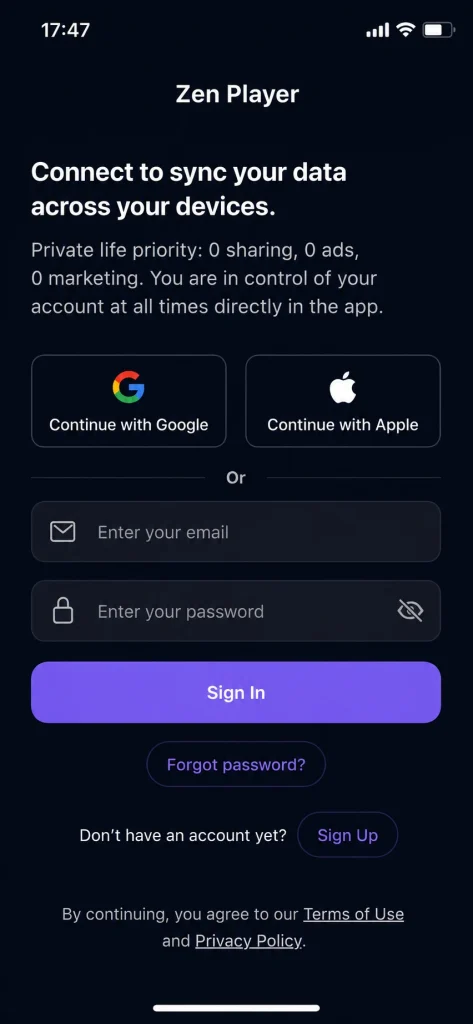
After that, we will open the application and will need to link it to an email account.
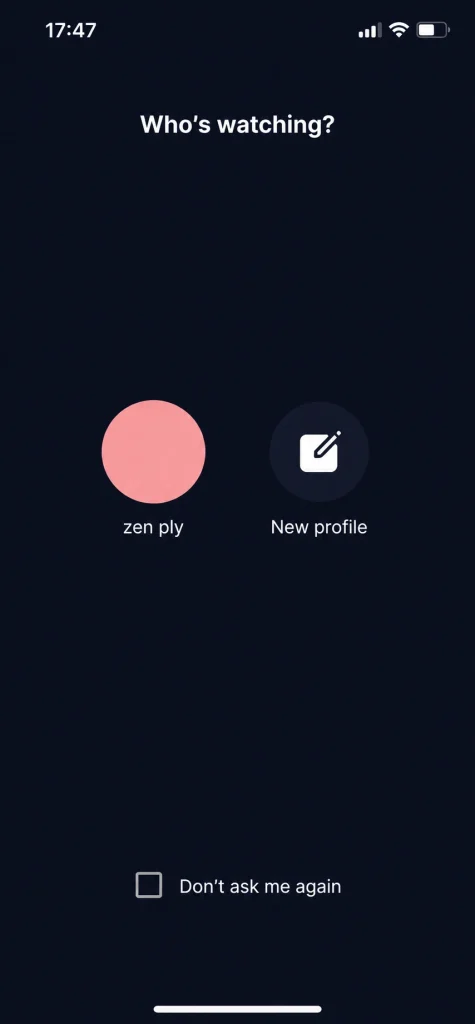
After opening the account and launching the application, we will accept the app’s terms and policy, then create our own profile.
After that, we will add our playlist using Xtream Codes by entering the information provided by the service provider, then completing the playlist setup.
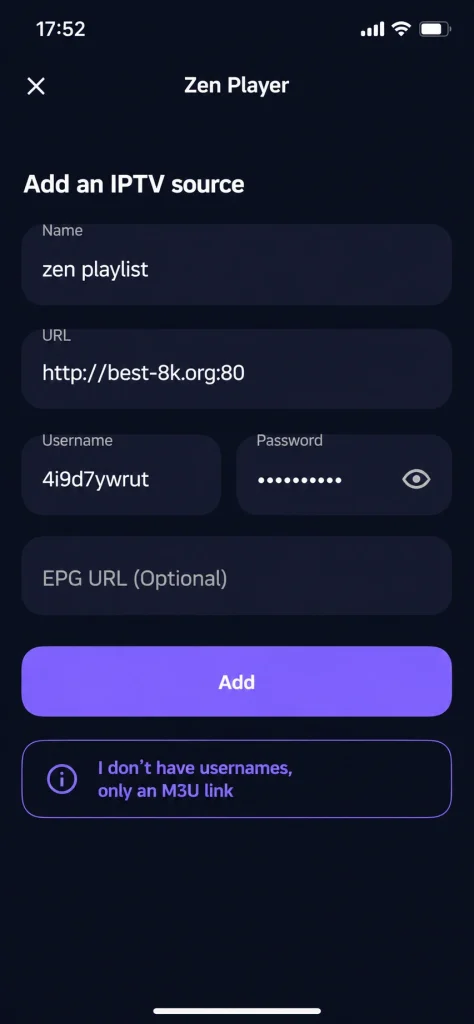
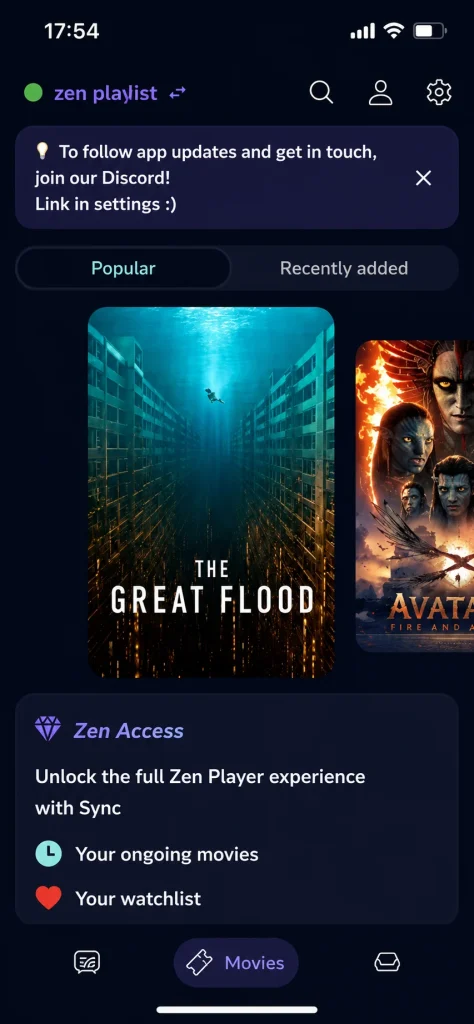
After adding it, we will wait a short while for the content to load, after which we will find a wide selection of films and series ready to watch.
Pros :
- Supports Live TV, Movies, Series, Catch-up, M3U playlists, Xtream Codes, and EPG (TV Guide).
- Excellent compatibility with iPhone, iPad, Apple TV, Mac, and tvOS.
- Supports 4K, HDR, and Dolby Vision for high-quality streaming.
- Synchronization across devices allows users to continue watching on another Apple device.
Cons :
- Some users reported login or playlist loading issues after updates.
- Certain menus and sections may not be fully translated into English on some devices.
- Advanced customization options are more limited compared to apps like TiviMate.

Zen IPTV player
3. IPTV :
With technological advancement, the smartphone has become a complete platform for following favourite channels and programmes, and this application turns your device into a powerful personal media hub. It supports a wide range of video formats and live streams, allowing users to organise playlists and content in one place. Featuring an intuitive interface, smart search tools, and smooth playback, it offers flexible, high-quality viewing anytime and anywhere, tailored to individual preferences.
How does it work?
We will download the application from the Apple Store.
We will open the application and add the playlist in the indicated location.
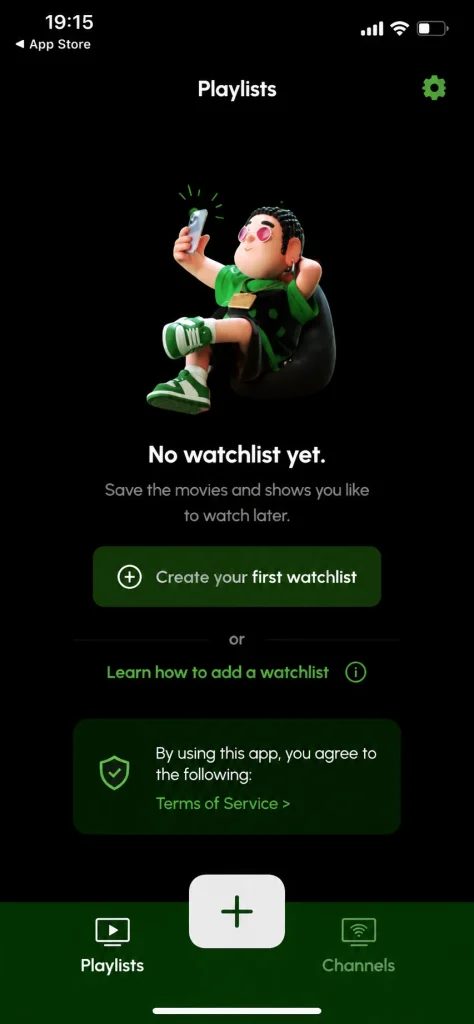
After that, we will enter the required information, assign a name to the playlist, paste the server link, and then add it.
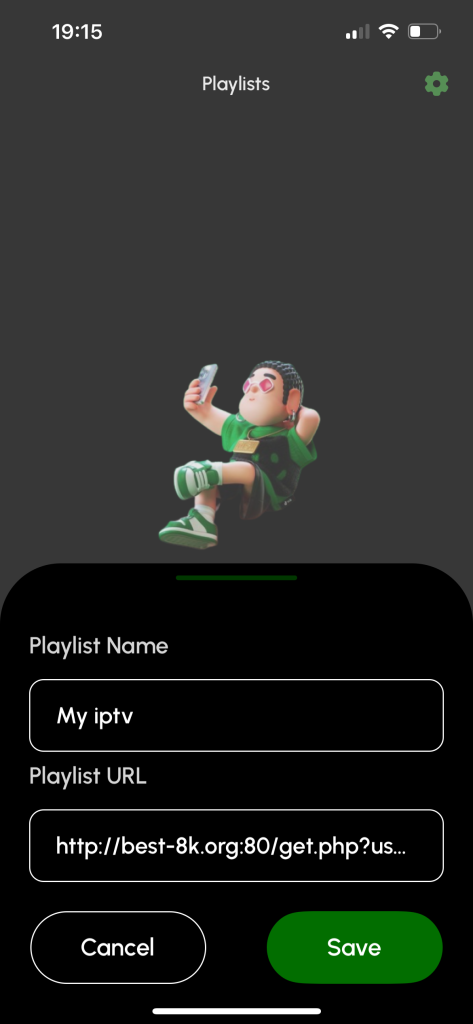
When we save the playlist, the application asks us to subscribe in order to use it. We need to pay the subscription fee to complete the process.
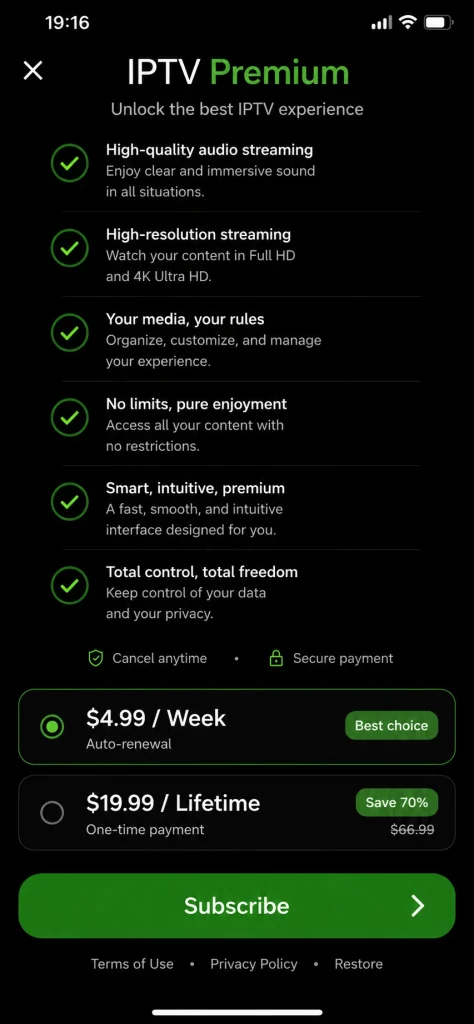
4. gse smart iptv :
Streaming applications have provided a flexible viewing experience suited to modern usage patterns, and this app offers an advanced media player for iOS devices. It supports live channels, video on demand, series, and catch-up content through user-added playlists. With powerful search and sorting tools, support for multiple formats and streaming protocols, 4K playback, and a fast, user-friendly interface, it delivers reliable performance and full control over personal viewing content.
How does it work?
This application is considered one of the best we have tested, as it offers a simple and easy user experience without any complications. First, we will download the application from the Apple Store.
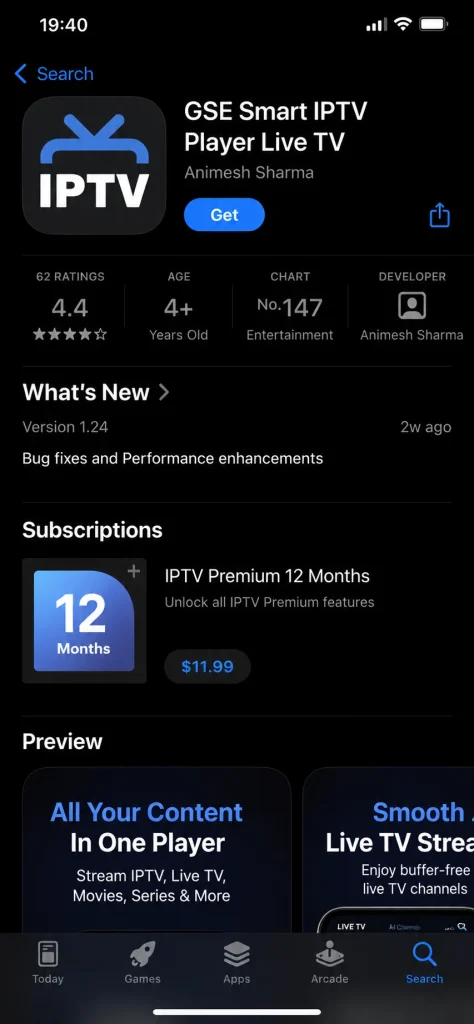
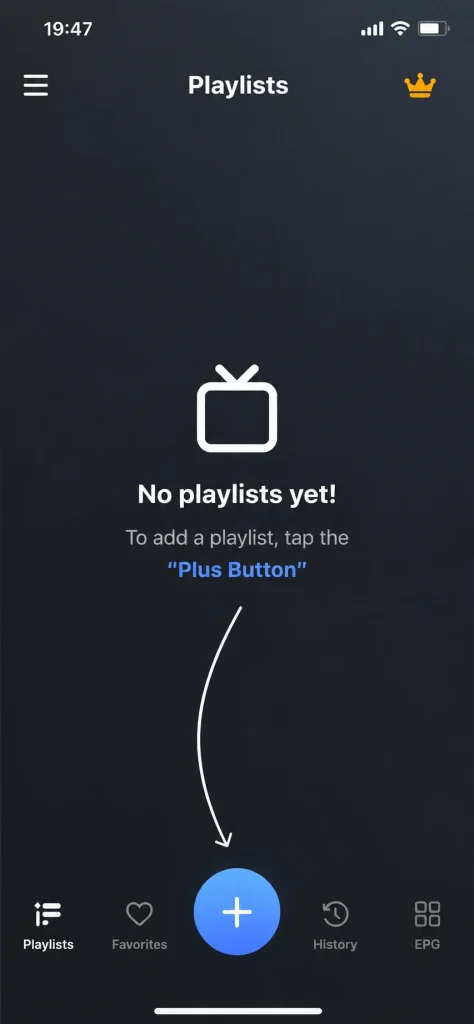
After downloading it, we will open the application, and a highlighted area will appear on the main screen where we can add the playlist.
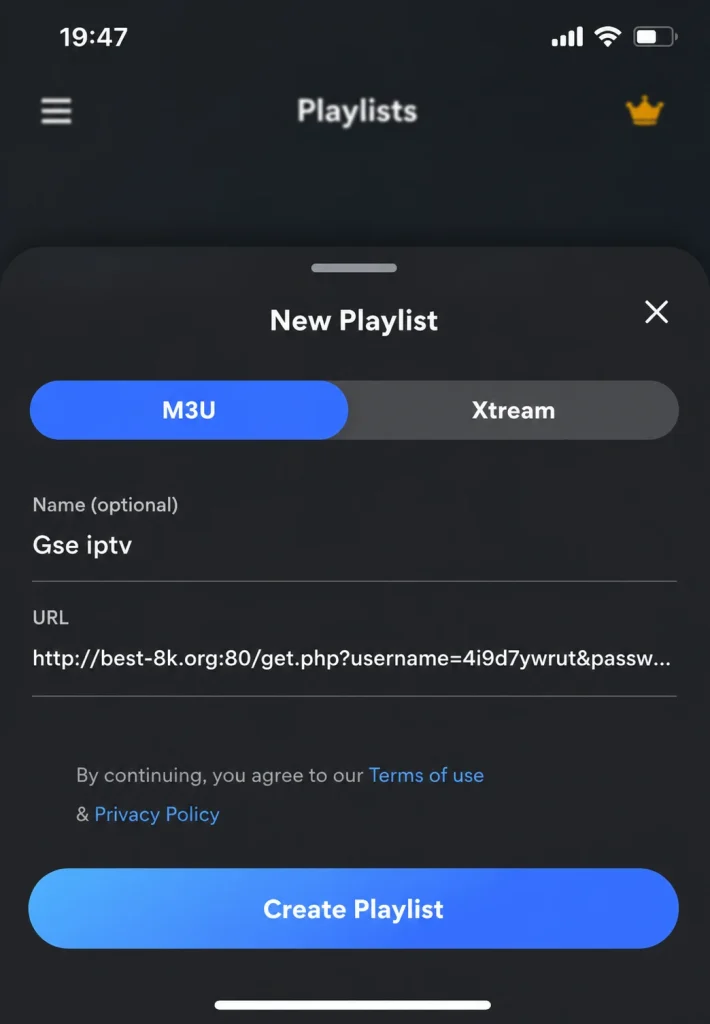
Here, we have the option to add the playlist either using the Xtream Codes format or the M3U format. We will choose the M3U format in order to add our playlist.
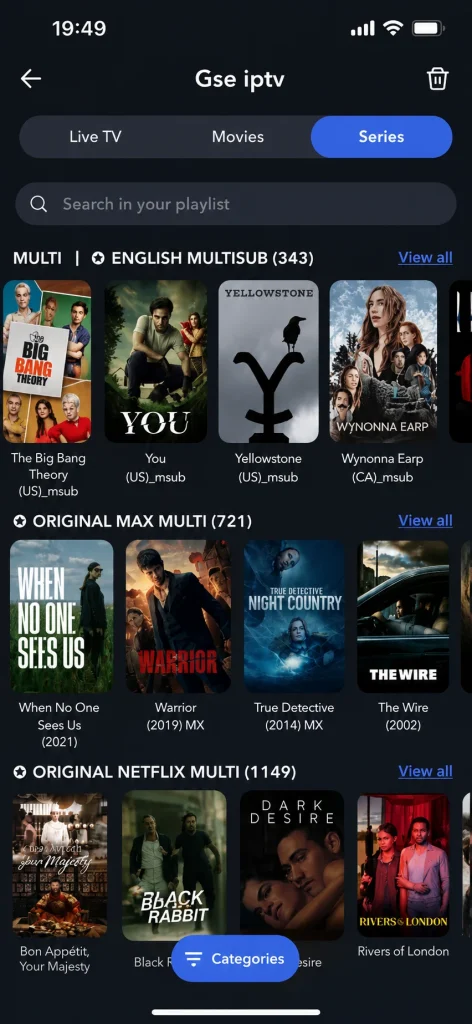
We will wait a few moments, after which the content will be successfully loaded and ready to watch.
Pros :
- Supports M3U playlists, Xtream Codes API, JSON playlists, and XMLTV EPG.
- Powerful built-in player with support for many video formats and streaming protocols.
- Supports AirPlay, external displays, subtitles, parental controls, and automatic stream reconnection.
- Available on iPhone, iPad, Apple TV, and macOS.
Cons :
- The interface looks outdated compared to modern apps like IPTVX or Zen IPTV.
- Can be difficult for beginners because of the large number of settings and options.
- Some users reported bugs, playlist issues, and support problems.

Gse Smart iptv
5. Smarters player lite :
Users no longer need traditional receiver devices to follow television broadcasts, as this application offers a modern and efficient media playback solution on smart devices. It supports live streaming, on-demand content, and audio playback through user-added playlists in various formats such as M3U and JSON. With a user-friendly interface, smooth performance, and customisable settings, it delivers a reliable, high-quality viewing experience tailored to individual needs across multiple platforms.
How does it work?
As usual, we will download the application from the Apple Store.
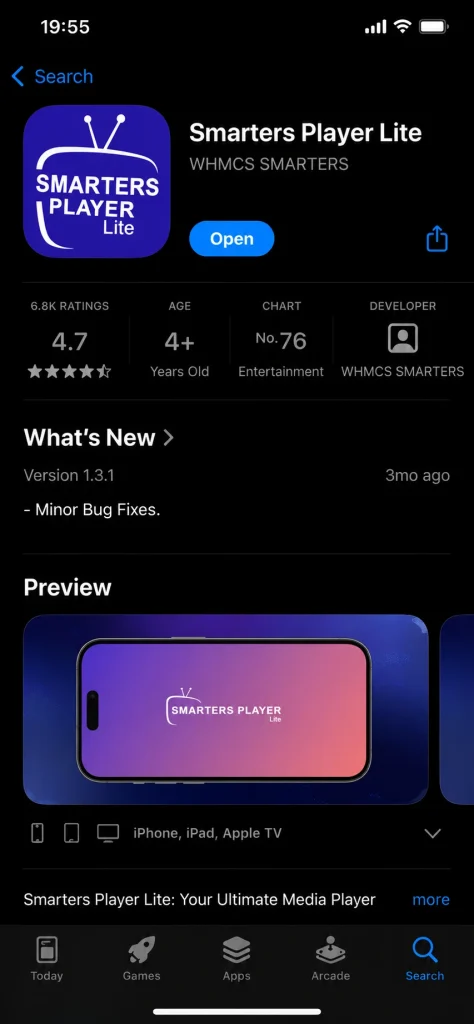
After that, we will open the application and add a playlist.
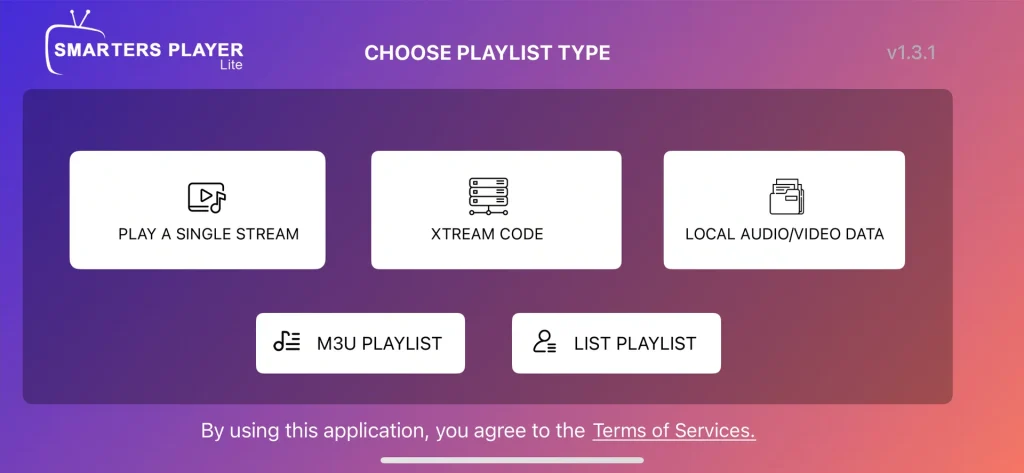
We choose the Xtream Codes option to add our playlist. We enter the required information, including the username, password, and server URL, and assign a name to the playlist. After that, we save and add the playlist.
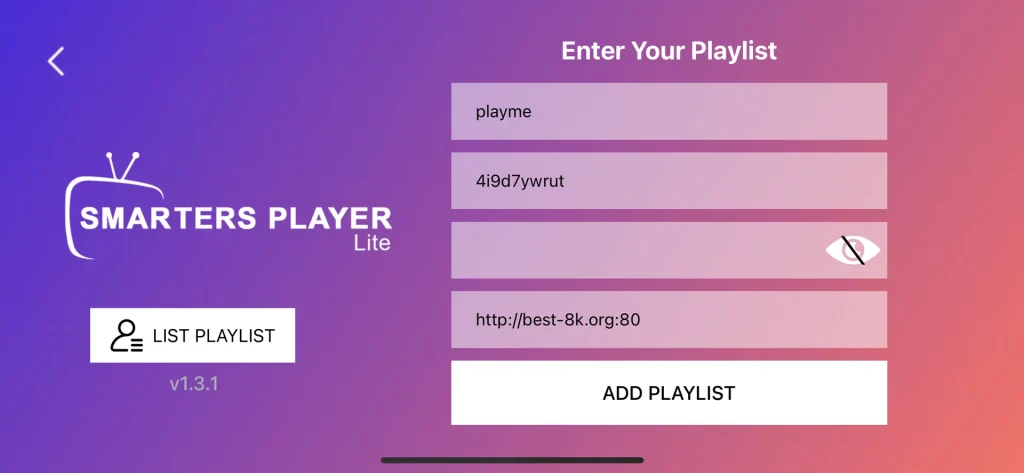
We will wait a few minutes for the content to load. After that, the application will be ready to use for viewing.

Pros :
- Clean and easy-to-use interface, perfect for beginners.
- Supports M3U playlists, Xtream Codes, and EPG (TV Guide).
- Compatible with iPhone, iPad, and Apple TV.
- Smooth video playback with support for multiple streaming formats.
- Allows users to manage multiple IPTV accounts and playlists.
Cons :
- Occasional bugs or loading issues may appear after updates.
- Customization options are more limited compared to apps like TiviMate.
- Does not provide channels or content; an IPTV subscription is required.

Smarters player lite
6. Iptv smart player :
These applications make it possible to watch channels in high quality using only an internet connection, offering a modern and flexible viewing solution on smart devices. The app functions as a powerful media player that displays and plays user-added content, supporting a wide range of video and audio formats as well as live streams. With an intuitive interface, smart organisation tools, and smooth performance, it ensures a convenient and personalised entertainment experience anytime and anywhere.
How does it work?
We will do the same thing and download the application.
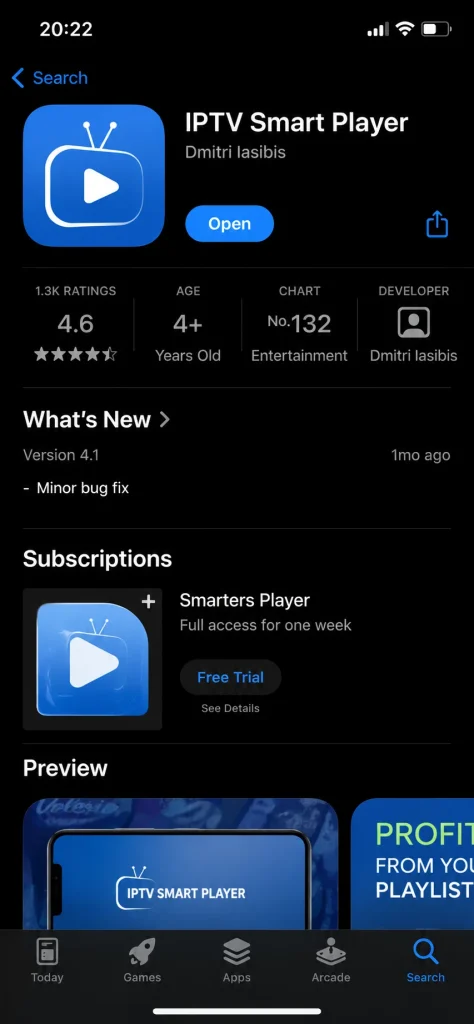
We will open the application and accept its policy.
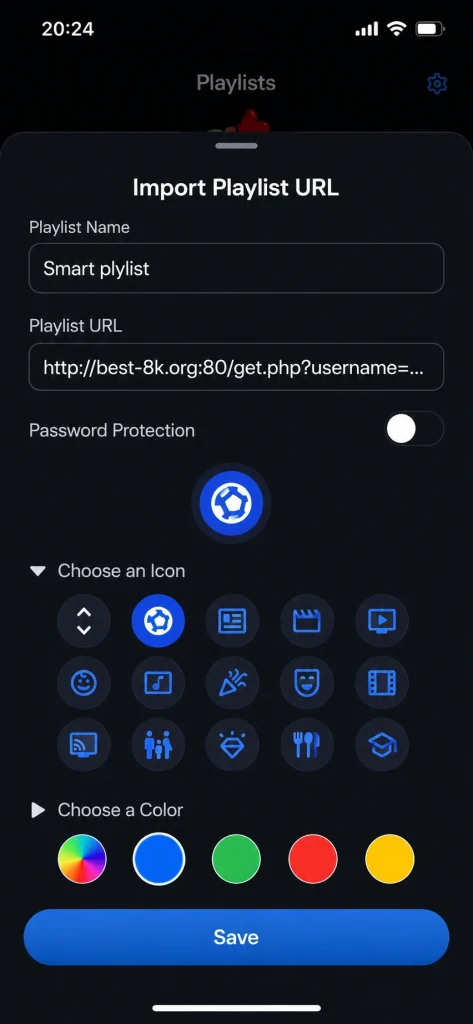
We will fill in the required information.
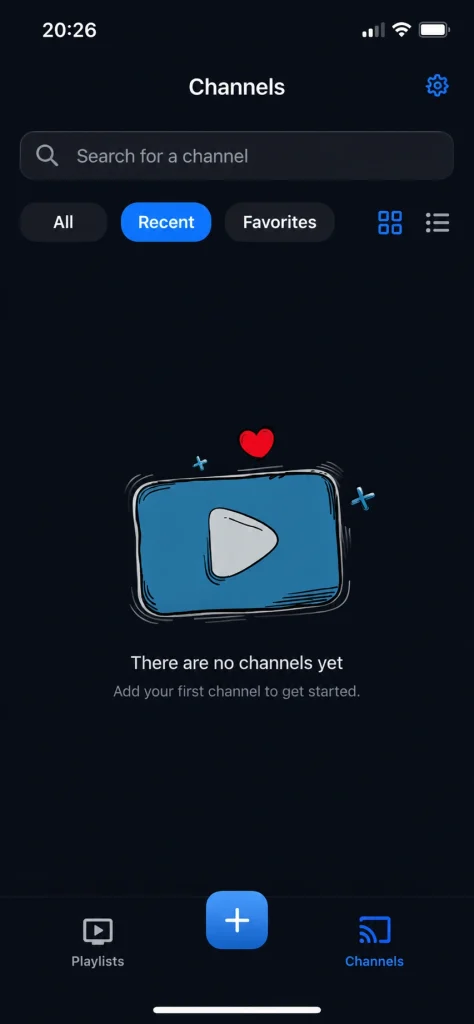
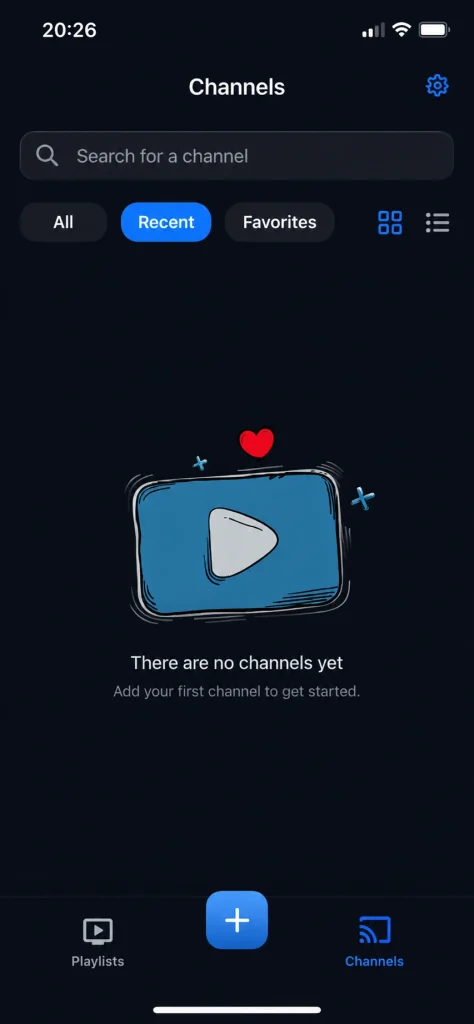
However, after loading the playlist, we were unable to find it. The interface shows that no playlist has been added.
Pros :
- Modern and user-friendly interface with smooth navigation.
- Supports M3U playlists, live IPTV streams, and a wide range of video formats.
- Allows users to organize channels, playlists, and favorite content easily.
- Fast playback performance with support for HD and 4K streams depending on the source.
Cons :
- Does not provide channels or IPTV subscriptions; users must add their own playlists.
- Some features require a paid subscription or lifetime purchase.
- Advanced IPTV features are more limited compared to apps like IPTVX or TiviMate.

Iptv smart player
7. Ibo pro player :
Digital broadcasting solutions have become an ideal choice for fans of international channels, and this application offers a professional and reliable way to enjoy personalised content across iOS and Apple TV devices. It is designed to load playlists quickly and deliver smooth, high-quality playback without interruptions. With a simple interface, support for multiple screen resolutions including 4K, favourites management, and fast streaming performance, it provides a flexible and enjoyable viewing experience tailored to modern entertainment needs.
How does it work?
We will do the same thing by downloading the application from the Apple Store.
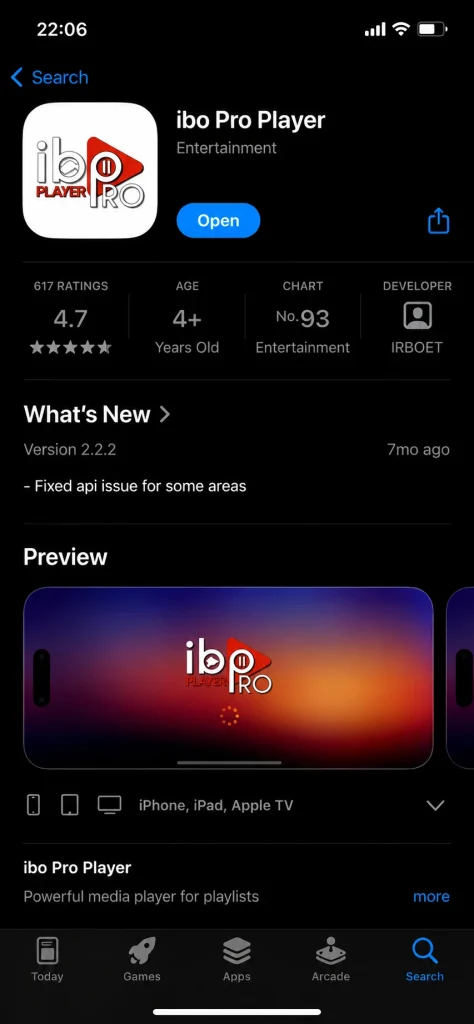
After downloading the application, we will open it. On the main screen, you will find this information, which we will need to register through the app’s link.
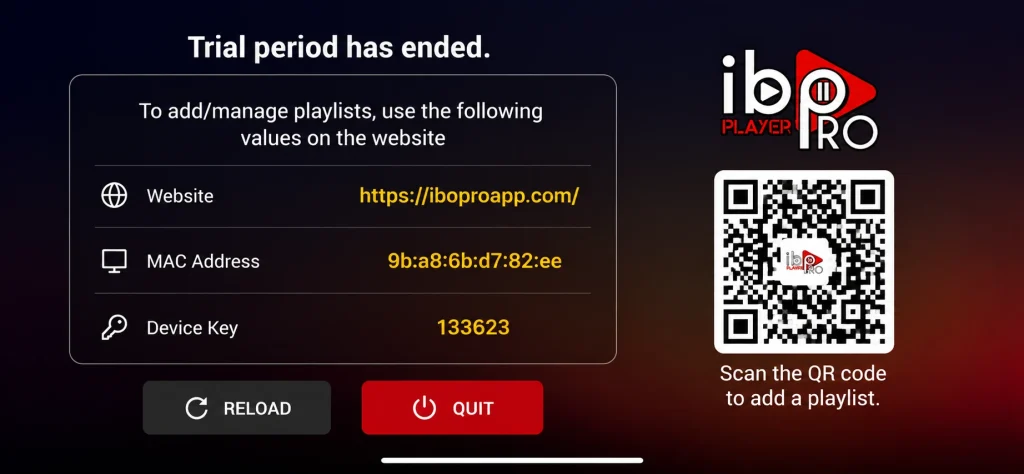
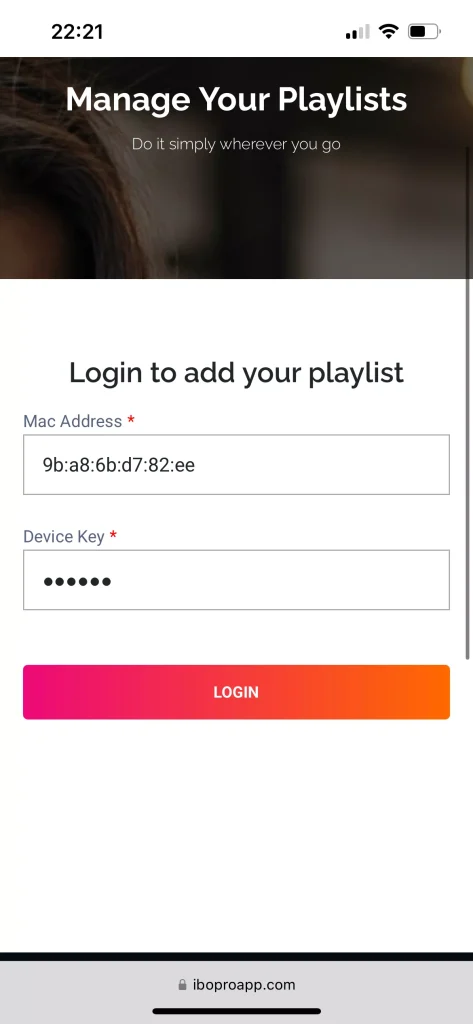
After that, we will go to the application’s link, then navigate to Manage Playlist, and enter the code provided by the app on the main screen.
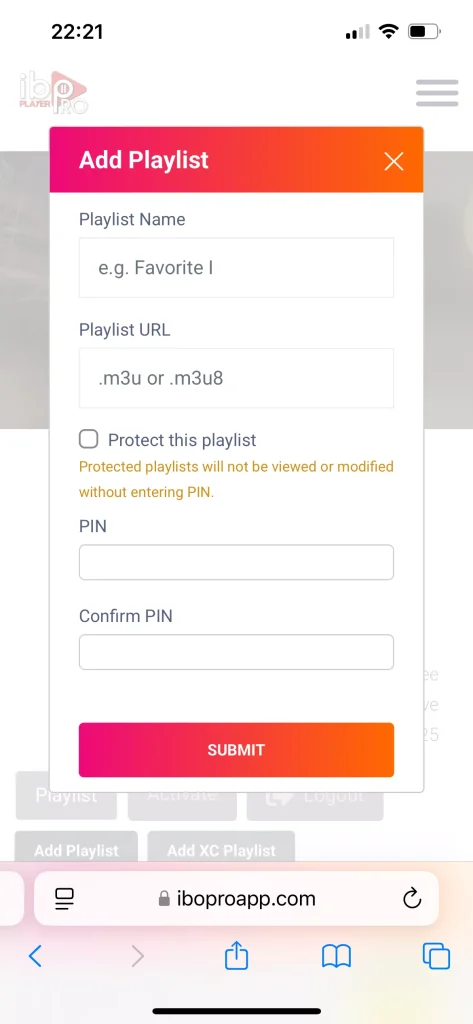
After that, we can add a playlist using the M3U format. However, after adding it, we were unable to access it in the application, meaning we could not play it within the app.
Pros :
- Very fast playlist loading and smooth streaming performance.
- Supports M3U playlists, Xtream Codes, subtitles, multiple audio tracks, and parental controls.
- Supports 4K streaming and works well on iPhone, iPad, and Apple TV. \
- Clean and simple interface that is easy to use.
Cons :
- Requires activation after the trial period.
- Does not include channels, movies, or IPTV subscriptions.
- Users must add their own playlist.
- Some users report occasional freezing or startup issues depending on the playlist or device.

Ibo pro player
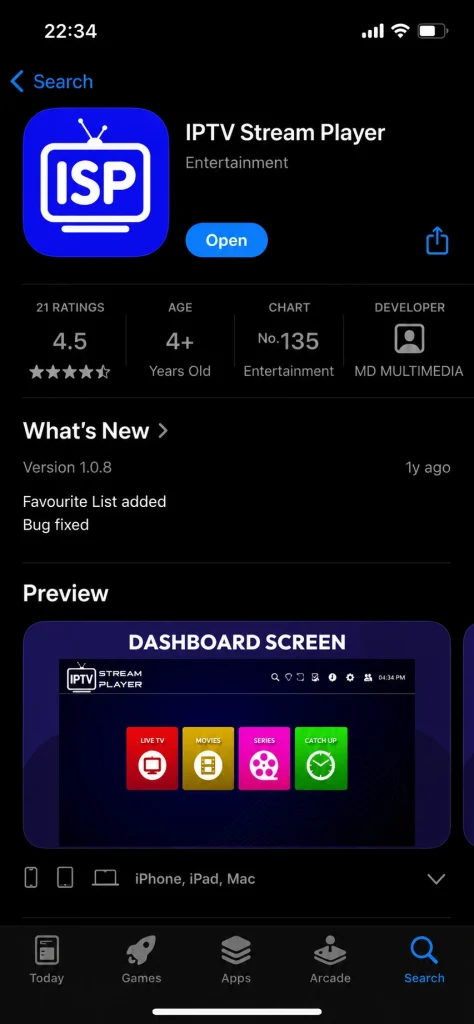
8. Iptv stream player :
Modern viewing applications combine ease of use with flexible content management, and this app delivers a well-balanced and practical streaming experience on smart devices. It supports major video formats, 4K playback, subtitles, and dual audio, while offering global search and favourites for quick access. Additional features such as parental controls, content hiding, and speed testing enhance usability, making it a reliable choice for users seeking comfort, control, and high-quality viewing through internet-based playlists.
How does it work?
This application is also considered one of the easiest to use, as it offers a smooth user experience and very simple, straightforward operation without any complexity. Let us try it by first downloading it from the App Store.
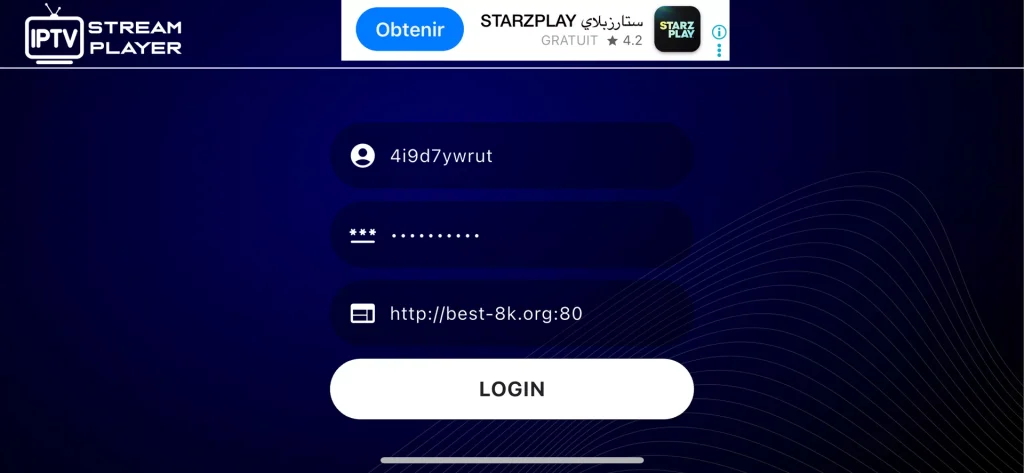
After that, the application immediately asks you to enter the Xtream Codes details in order to add a playlist. We will fill in the required information, including the username, password, and server URL, then add the playlist.
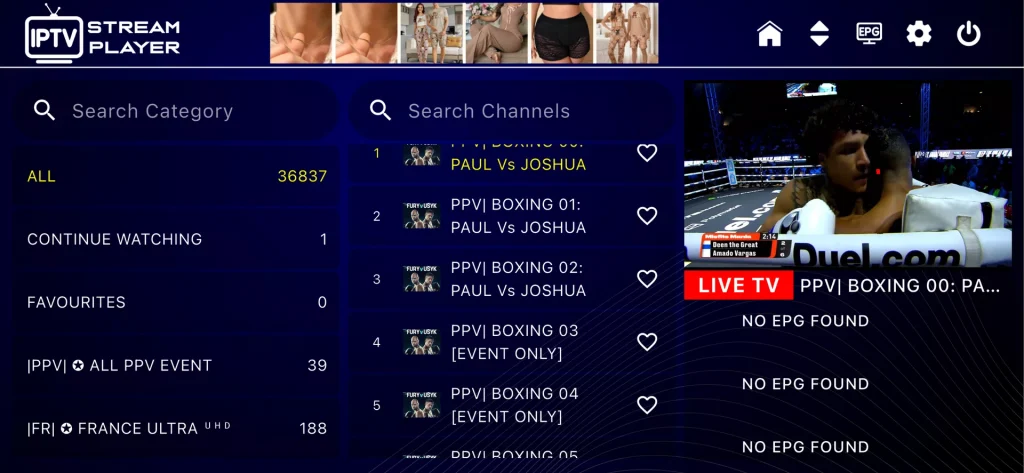
After that, we will wait for a short time for the content to load. Once it is ready, we can enjoy watching our programmes comfortably.
Pros :
- Supports M3U playlists, IPTV streams, subtitles, dual audio, and multiple video formats.
- Supports 4K content playback with a built-in video player.
- Includes useful features like Global Search, Favorites, Recent Playlists, and Parental Control.
- Simple and lightweight interface that is easy to use.
Cons :
- Does not provide channels or playlists; users must add their own IPTV subscription.
- Fewer advanced features compared to premium apps like IPTVX, Zen IPTV, or IBO Player Pro.
- Some versions have relatively few reviews compared to more established IPTV players.

Iptv stream player
9. IPTV Watch online :
This application delivers internet-based broadcasting through an elegant interface designed to suit smartphone users, offering a smooth and well-organised viewing experience on iOS devices. It supports live channels, video on demand, series, and programme guides, with powerful playback capabilities and compatibility with multiple playlists, APIs, and streaming protocols. Thanks to its modern layout, dark mode support, and advanced network handling, the app ensures stable performance, easy navigation, and flexible access to personalised content anytime and anywhere.
How does it work?
We will do the same thing and download the application first.
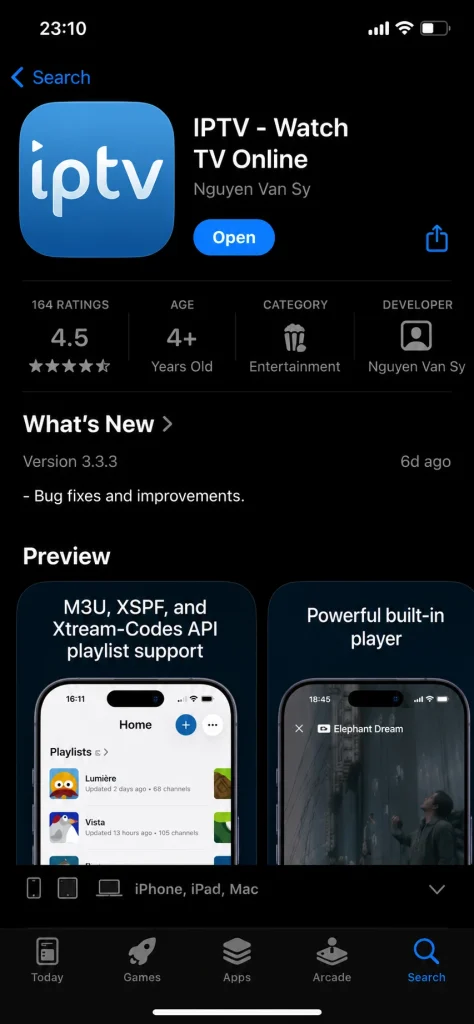
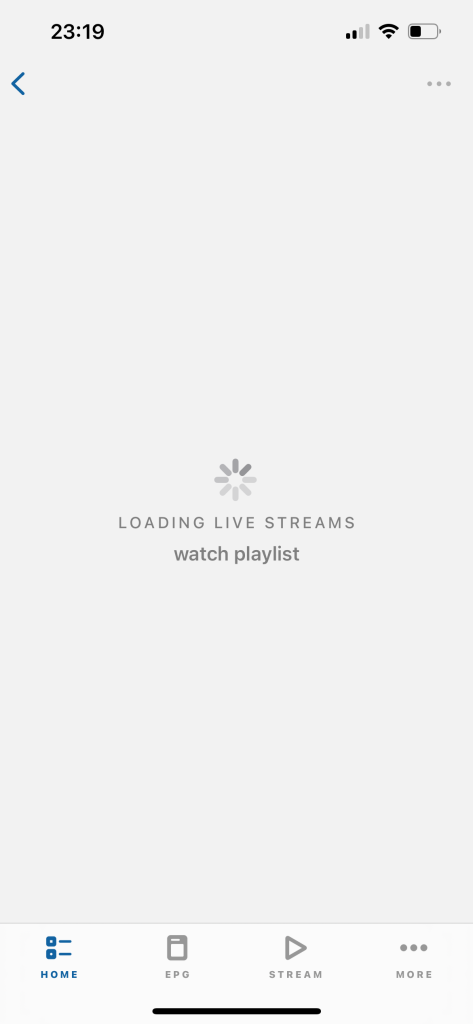
We waited for a long time, but the content did not load.
Pros :
- Supports M3U playlists, Xtream Codes API, EPG (TV Guide), VOD, Series, and Catch-up TV.
- Built-in IPTV player with support for multiple streaming formats and protocols.
- Clean and simple interface with Dark Mode support.
- Compatible with iPhone, iPad, and Apple TV
Cons :
- Interface feels less modern than apps like IPTVX, Zen IPTV, or IBO Player Pro. Does not provide channels, playlists, or IPTV subscriptions.
- Users must add their own IPTV service.

IPTV Watch online
10. IPTV word :
This application represents a suitable choice for fans of sports, films, and television series, offering access to live streaming and on-demand content from around the world. It supports multiple network connections and playlist formats, along with programme guides, subtitles, and background playback. With an integrated lightweight player, search and sorting tools, favourites management, and parental controls, it provides a smooth, flexible, and enjoyable viewing experience anytime and anywhere.
How does it work?
We will also download the application.
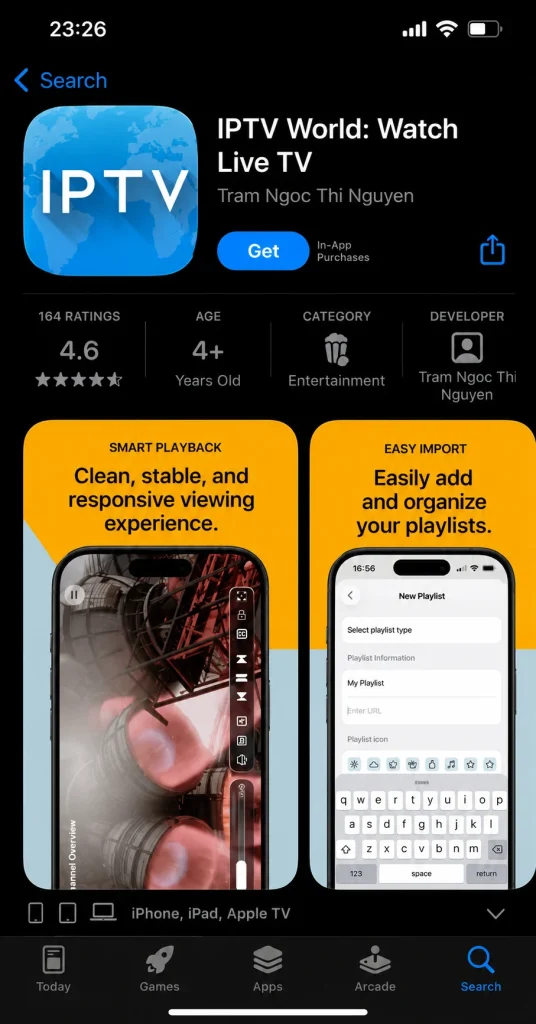
After that, we will open the application, and on the main interface, a section for adding the playlist will be clearly displayed.
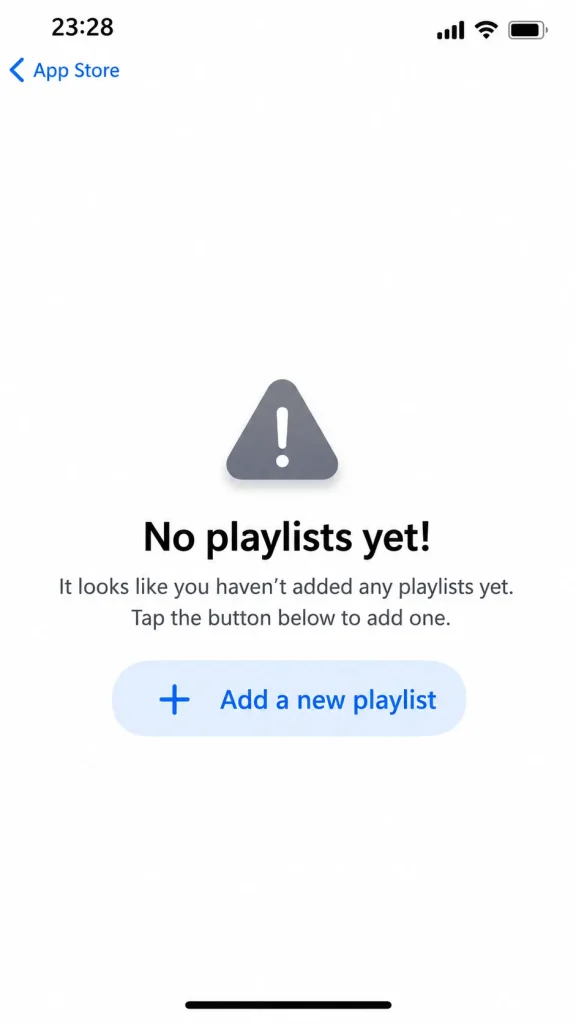
We will fill in the required information.
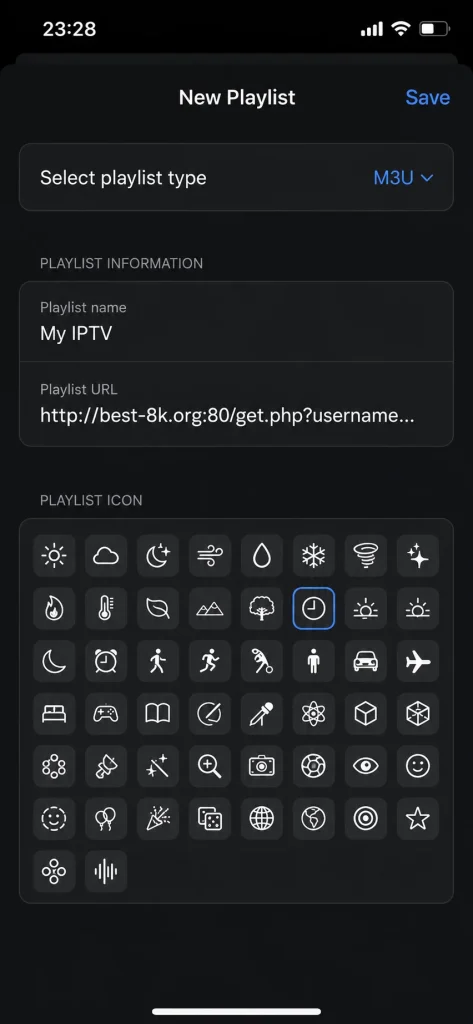
After adding the playlist, we waited for a long time for the content to load, but the playlist remained empty.

Pros :
- Supports M3U playlists, XSPF playlists, and EPG (TV Guide).
- Built-in player with different playback modes for smoother streaming.
- Supports subtitles, background playback, favorites, and multiple stream formats like HLS, UDP, and RTMP.
- Compatible with iPhone, iPad, and Apple TV.
Cons :
- Does not provide channels or IPTV subscriptions; users must add their own playlist.
- Some users reported subscription restore issues and occasional bugs.

IPTV word
11. IPTV PLAYER :
With these solutions, users can do away with cables and additional devices, enjoying a smart and streamlined viewing experience directly on their smartphones. The application functions as an intelligent media client that supports local and remote playlists, high-quality playback, and seamless casting to televisions via AirPlay or Chromecast. Features such as playlist synchronisation across devices, parental controls, built-in recording, and wireless transfers further enhance convenience, flexibility, and control over personal viewing content.
How does it work?
We will start by downloading the application first.
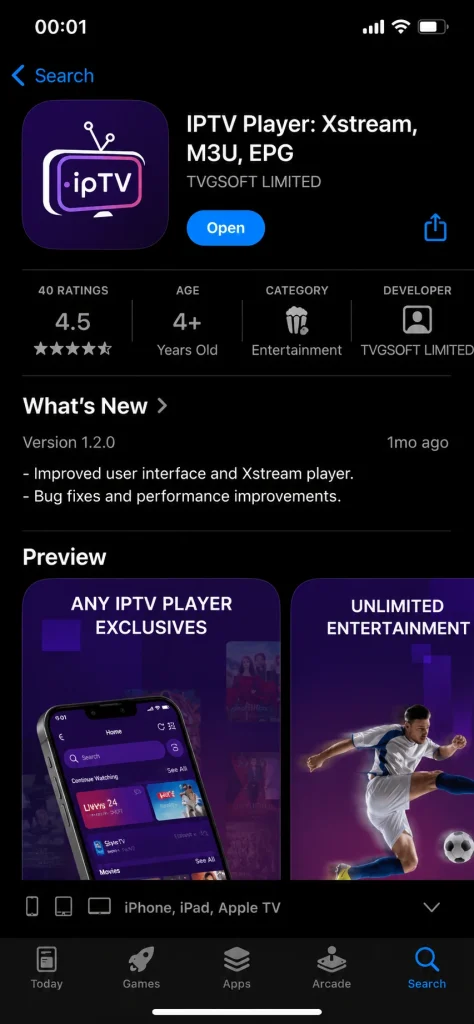
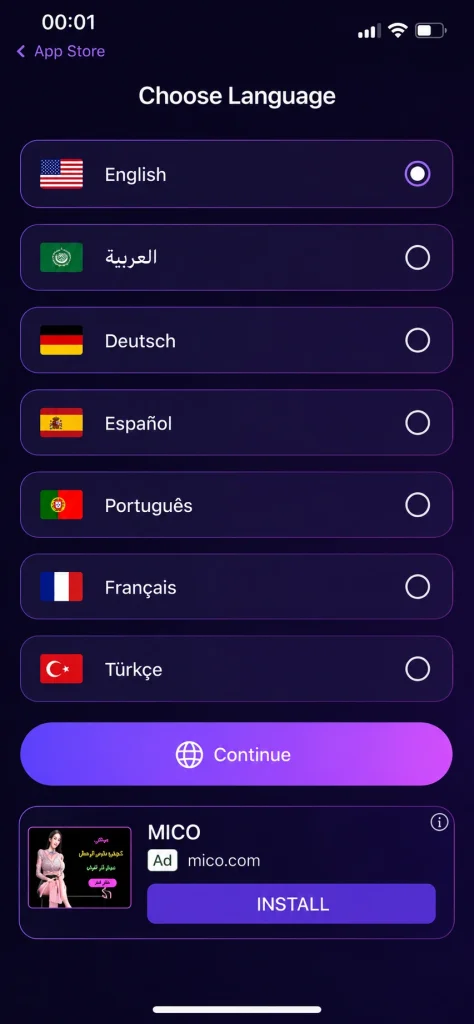
After that, we will open the application, which will prompt us to choose the language for continuing the experience.
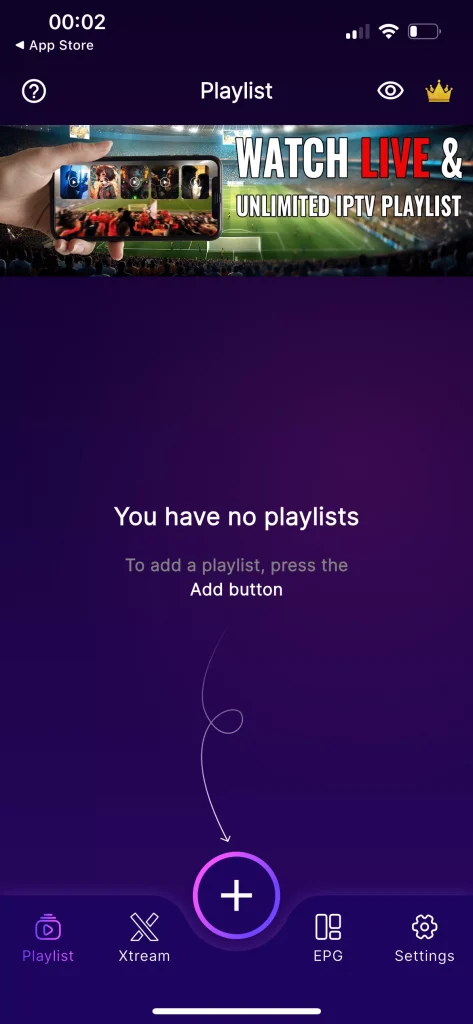
After selecting the language, we will move to the interface shown here and add the playlist by tapping Add Playlist as displayed in the image.
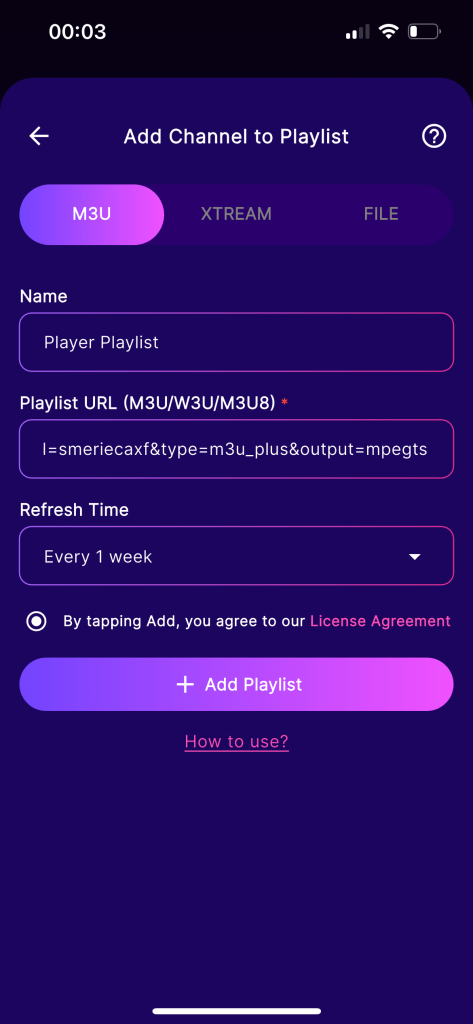
The application offers several options for adding a playlist, such as Xtream Codes and M3U. We will add our playlist using the M3U link by entering a playlist name, pasting the server URL, and then adding it.
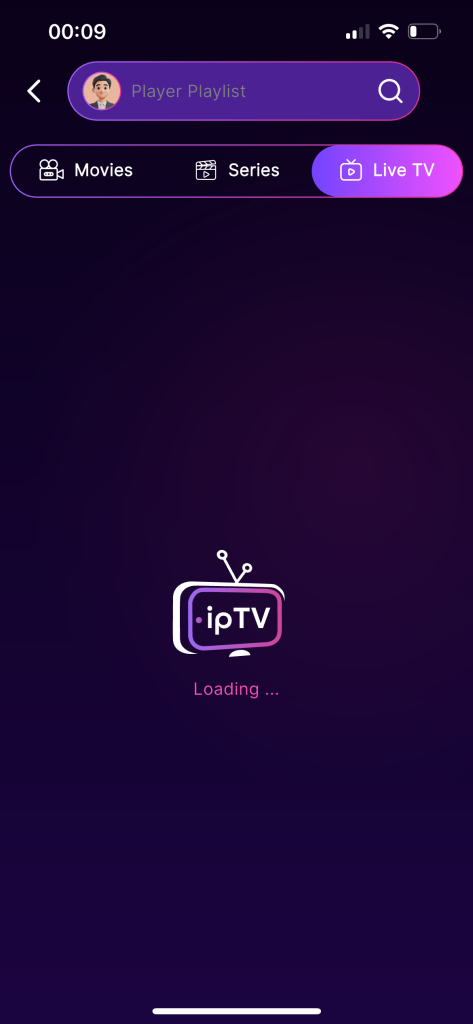
After that, we wait for some time for the content to load, but no content appears.
Pros :
- Supports M3U, M3U8, Xtream Codes, and EPG (XMLTV & JTV formats).
- Allows unlimited playlist integration and IPTV account management.
- Includes favorites, channel history, parental lock, reminders, and notifications for TV shows.
- Supports AirPlay and Chromecast casting to smart TVs
Cons :
- Free version contains ads and frequent upgrade prompts according to user reviews.
- Some users reported buffering issues and playlist setup problems.
- Can be confusing for beginners during the initial configuration.
IPTV PLAYER
12. 9Xtream :
This application delivers a viewing experience that closely resembles traditional television, but with far wider capabilities and greater flexibility. It offers an ultrascreeny interface designed for comfort and immersion, making it ideal for users looking for the best IPTV solution in 2026. Through advanced customisation, high-quality streaming, and detailed content organisation, it stands out in any comparison of modern digital platforms, providing rich material that transforms how users enjoy live channels, films, and series across smart devices.
How does it work?
As usual, we will download the application from the Apple Store.
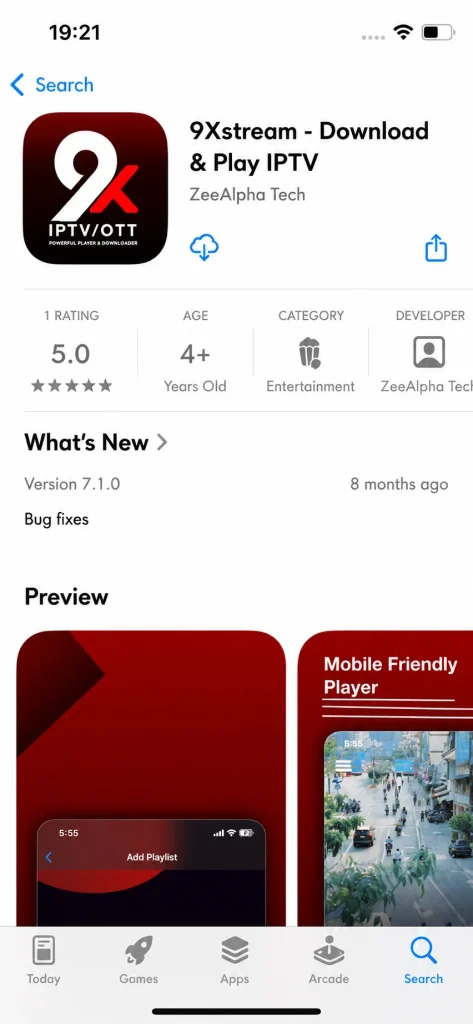
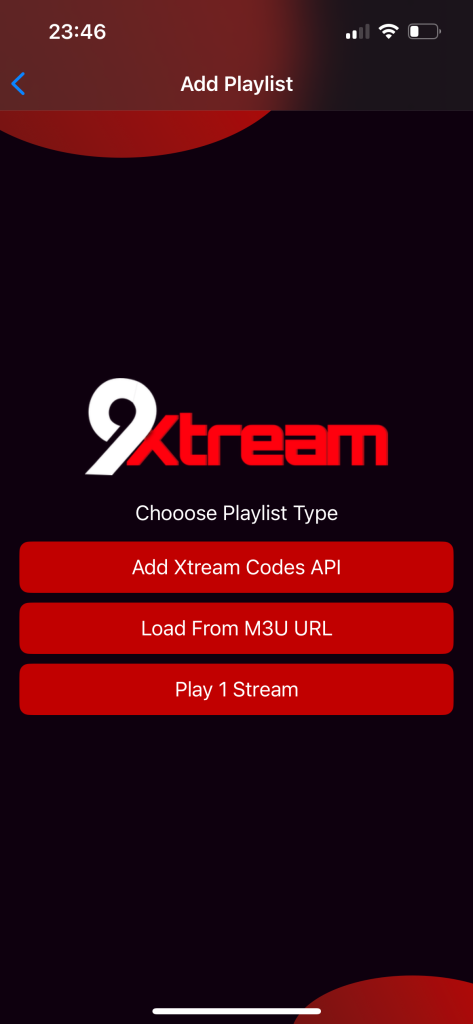
After that, Add Playlist will appear on the main screen. From there, we will add our playlist.
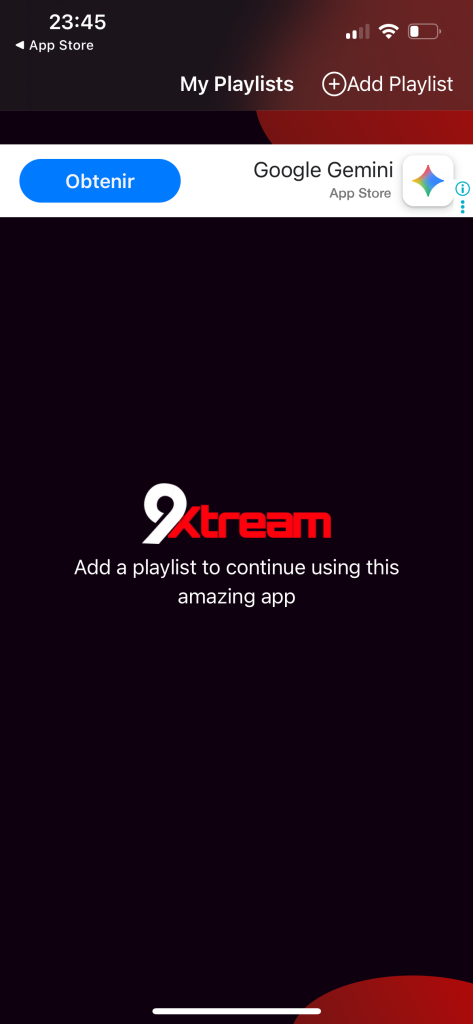
The application will ask you to choose the format in which you would like to add your playlist. We will add our playlist using the Xtream Codes format.
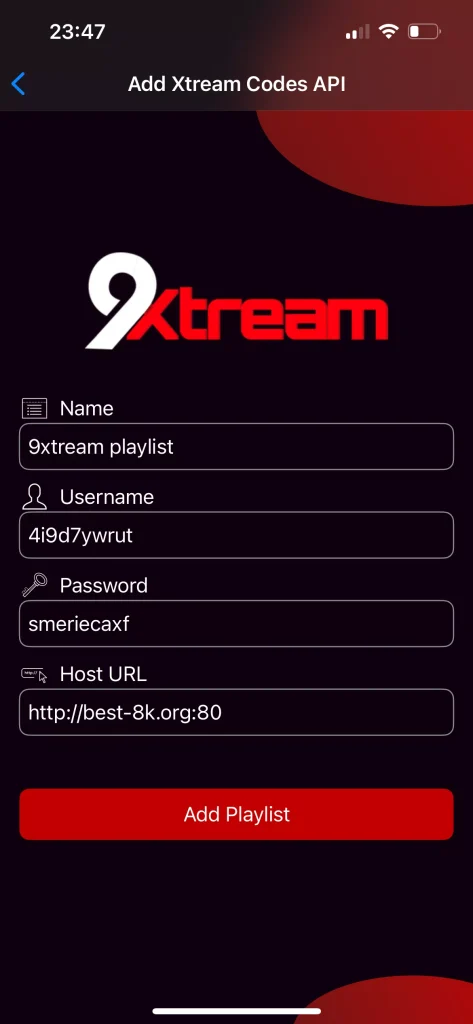
We will fill in the required information, including the username, password, and server URL, then add the playlist name.
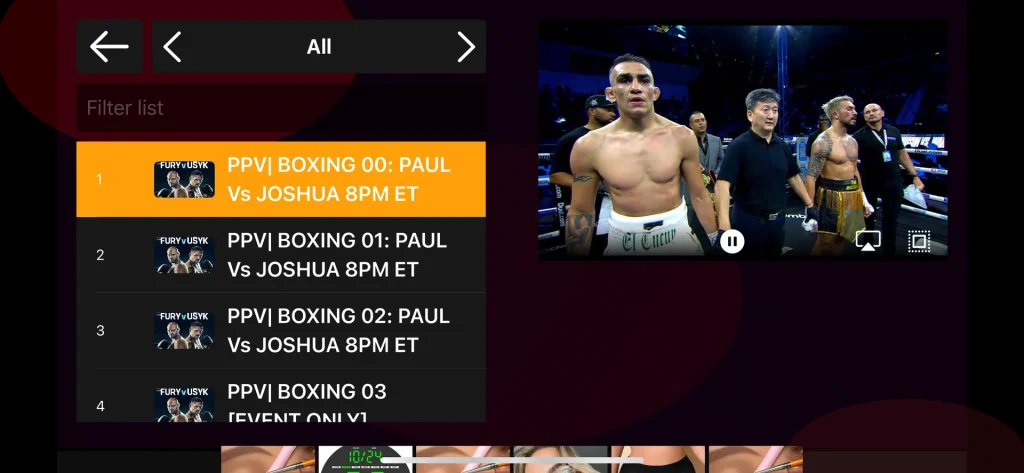
After adding our playlist, we will wait a short while for the content to load. After that, you can watch live broadcasts comfortably and in high quality.
Pros :
- Supports Xtream Codes API, M3U playlists, Live TV, Movies, Series, and Catch-up content.
- Modern and clean interface optimized for iPhone and Apple TV.
- Fast playlist loading and smooth streaming experience.
Cons :
- Requires a paid activation/license after the trial period.
- Does not provide channels or IPTV subscriptions; users must add their own IPTV service.

9Xtream
13. IPTV Opus player :
This application offers a modern and flexible viewing experience with strong support for multiple sources. Available on the store with free access options, it lets users enjoy movie content over the internet alongside live channels with epg and latest updates. Compatible with smart tv platforms, it works smoothly with any provider, helps organise playlists, and allows users to discover content we recommend, delivering an excellent and user-friendly experience.
How does it work?
As usual, we will download the application from the Apple Store.
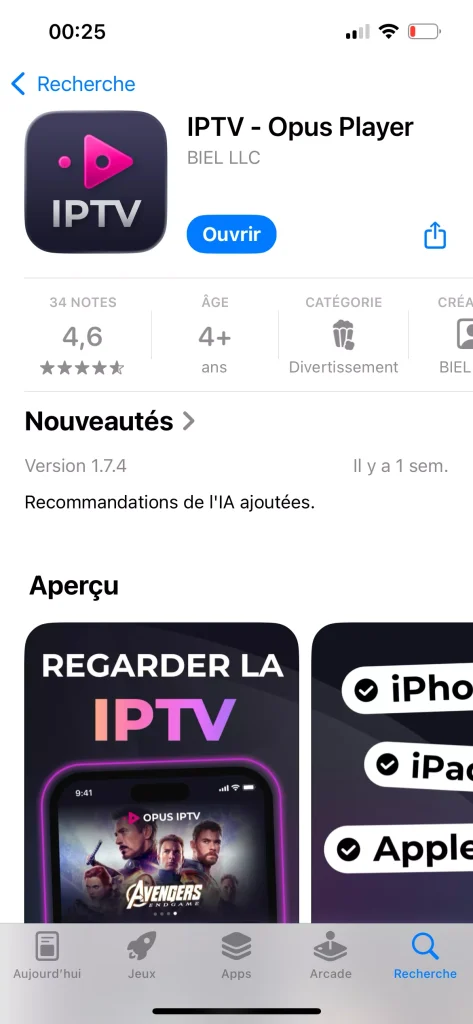
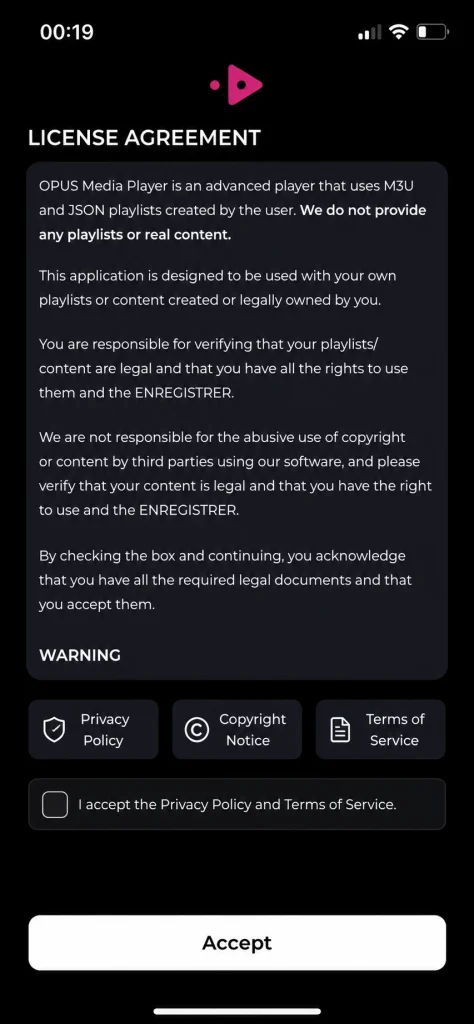
After opening the application, the app’s terms and policies will appear, which we need to accept.
After that, an indicator appears showing where to add the playlist, and we tap on it. However, the application contains many advertisements, which can be distracting and make the experience slower and more time-consuming.
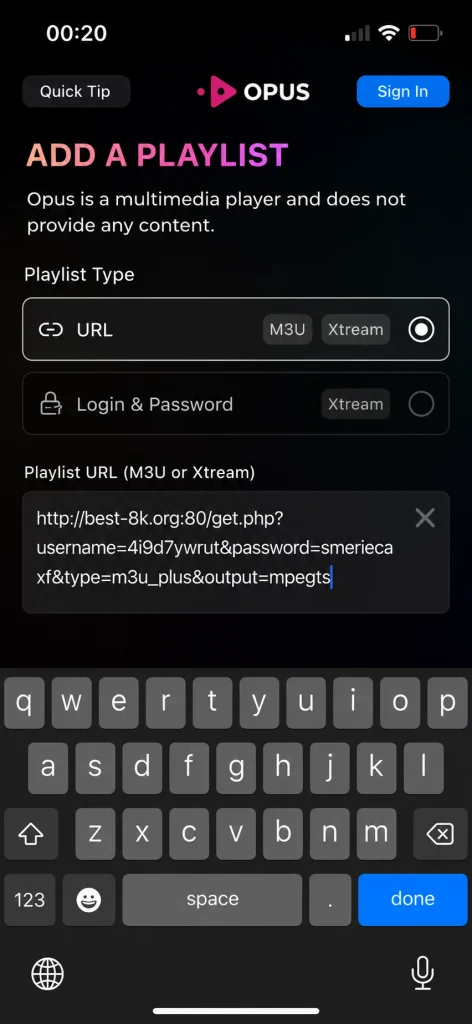
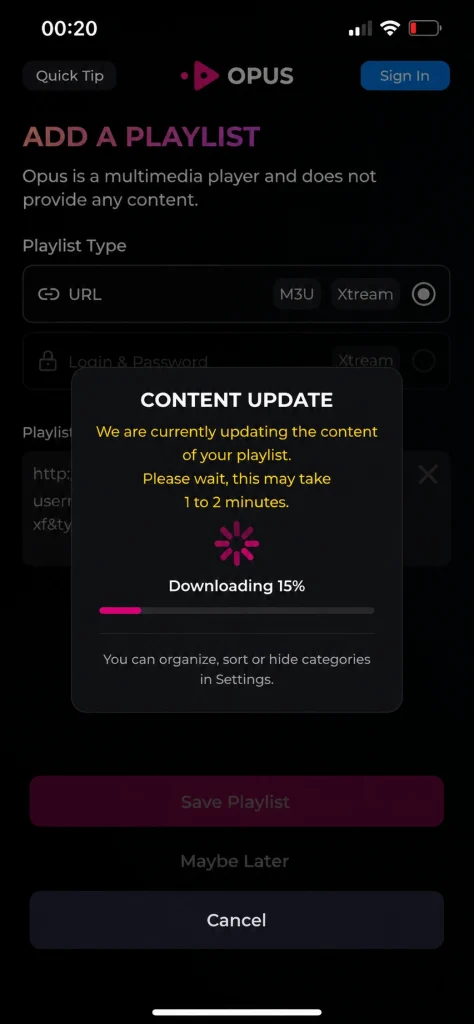
After filling in the playlist details and adding it, we will wait for the content to load.
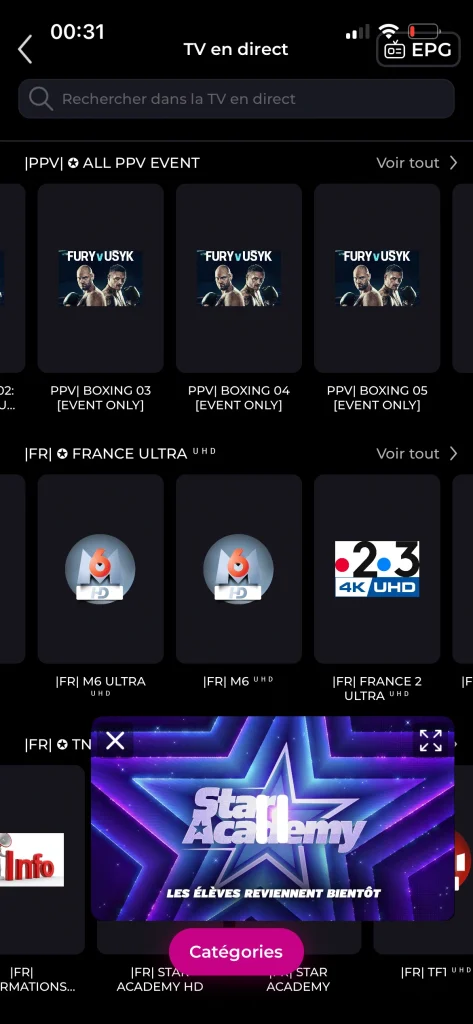
Once the content has loaded, you can comfortably enjoy watching live television, live streams, and your favourite programmes.
Pros :
- Supports Xtream Codes, M3U playlists, Live TV, Movies, Series, and Catch-up content.
- Modern and premium-looking interface with smooth navigation.
- Includes Continue Watching, smart search, favorites, and recently added content sections.
- Supports Picture-in-Picture (PiP) and background playback on iPhone and iPad.
Cons :
- Requires a paid subscription or lifetime activation for full access.
- Some users reported bugs after updates, including restore purchase issues and subscription glitches.
- Does not provide channels or IPTV subscriptions; users must add their own IPTV service.
IPTV Opus player
Conclusion
Our team has tried to present you with a selection of the best IPTV apps for iPhone. We also explained how to use each app step by step. We hope you found this article useful and managed to find an app that suits you.

I studied modern technology at college and have extensive experience in applications and viewing solutions. Due to my work, which requires frequent travel, I rely on modern technologies to keep up with my favourite programmes.